
What a pleasure to have support within minutes. Brillant, accurate answer, and solved the question. Thanks to the Formidable Team. Eric


Last updated on September 27, 2026 by Njones35
How to Make GDPR Compliant WordPress Forms
GDPR compliant forms are 100% free and do not require an additional plugin. Learn how GDPR affects your WordPress forms.
Upgrade your WordPress site with powerful, flexible forms.
The EU General Data Protection Regulation (GDPR) comes into effect on 25th May 2018
This new legislation applies to all companies processing the personal data of data subjects residing in the Union, regardless of the company's location. We look at how you can make your Formidable forms GDPR compliant.
From Idea to Reality in Minutes. Build Powerful Forms, Dashboards, Apps and More.
Formidable Forms makes advanced site building simple. Launch forms, directories, dashboards, and custom WordPress apps faster than ever before.
The disclaimer...
First, a disclaimer: I'm not a lawyer and this isn't legal advice. Of course we have a vested interest in your success and want to help where possible. But if you need definitive legal advice, please talk to a lawyer.
I should also stress that this article is a simplified overview of the main points of GDPR compliance, and not an in-depth study. I recommend you read the information on the official GDPR website carefully and take note of details that may not be covered here.
Many thousands of our users collect data in WordPress forms every day. GDPR applies to the vast majority or those forms. Do a little research now and be prepared for the enforcement date next year.
If you're in Europe like me, you're probably already used to privacy laws and GDPR compliance will only require small changes. Outside of Europe, this may be a new concept. But don't stress, compliance isn't hard work!
What is GDPR?

The GDPR website states, "The aim of the GDPR is to protect all EU citizens from privacy and data breaches in an increasingly data-driven world." Protecting private data is something we are passionate about at Formidable and a cause we can get behind 100%.
GDPR applies to all companies processing personal data of people in the EU, regardless of the company’s location. This means that even if you're outside Europe, you need to take action.
The good news is that GDPR compliance for Formidable Forms is 100% free and does not require any additional plugins. Just a few simple tweaks to your existing forms and you're set.
The main GDPR requirements
Explicit Consent. GDPR requires that users give explicit consent BEFORE submitting personal data. This request for consent must be in clear, understandable, plain language, free from legalese.
It must be presented alone, not buried in with other "terms & conditions." Have a clear and accessible privacy policy that explains how this data will be used and stored. Consent must be as easy to withdraw as it is to give.
Right to Access. Provide a way for users to request access to, and view the data you have collected from them.
Right to be forgotten. Give users a way to withdraw consent and delete personal data collected from them.
How to comply
First, remember this does not apply to forms that do not collect or store personal data. If you're running an anonymous poll or quiz form that does not collect personal data, your forms are not affected.
Forms collecting information that can identify the person are affected. This includes information like names, photos, an email addresses, bank details, posts on social networking websites, medical information, or IP address.
This is also why spam protection matters for compliance, not just tidiness. Bots often submit scraped email addresses and other real details, which means every spam entry you store is personal data you never asked for and have no consent to hold. Blocking junk submissions keeps your database limited to data people actually chose to give you.
If you are not using Formidable yet, you can install free forms on your WordPress site. The free forms can be GDPR compliant too.
In Formidable, IP addresses are collected by default. As of version 2.05, you have the option to disable this IP tracking. Visit the Formidable -> Global settings page to set IP addresses to not be saved.
Step 1 - Request Consent
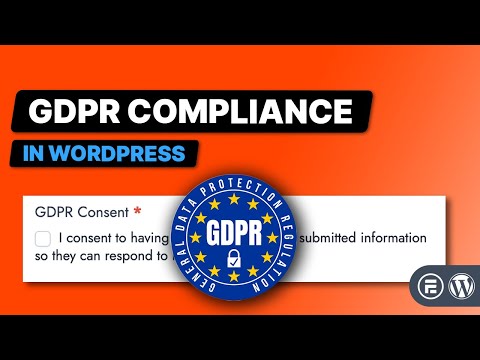
Requesting consent is as easy as adding a required agreement checkbox to the bottom of your form. Explain what data you are collecting and why. You can also include a link to a more detailed privacy policy.

Mark the check box as a required field and label it with something like "I consent to having Compu-Global-Hyper-Mega-Net collect my details via this form". Now the form will only submit when consent is given.
Step 2 - Right to access

The responsibility of associating submitted data with the submitter is 100% yours. The simplest way to do this is to require users to login before submitting forms. When a form is submitted by a logged-in user it's easy to match their entries to their account. This can be used to filter a View, so users can see copies of all their form submissions. When the page is visited, a logged-in user will only see entries that they submitted. If they have permission to edit the entry, an edit link can be included too.
Step 3 - Right to Be Forgotten
Use a View to display a users' entries and include a delete link. This gives users the ability to login and delete any data they have submitted. With the power of Front-end Editing, users can easily manage their own data on your WordPress site and remove all of their submitted info without your assistance.
Get more detail in part 2: 6 steps to GDPR compliance: right to access and be forgotten.
What to do now?
Before making changes, read through the official GDPR website. Get your information from the source and make a plan that allows your online presence to move into compliance.
Do you have any tips and tricks to make GDPR compliance easier? Let us know in the comments below.
Read more about GDPR compliant WordPress forms
 GDPR Compliance is Now Easier With Formidable Forms
 How to Create an Anonymous Survey in WordPress
 How To Use the Mailchimp GDPR Marketing Options
This article may contain affiliate links. Once in a while, we earn commissions from those links. But we only recommend products we like, with or without commissions.

