
What a pleasure to have support within minutes. Brillant, accurate answer, and solved the question. Thanks to the Formidable Team. Eric


Last updated on August 12, 2026 by Formidable Team
Celebrating 12 Years with a 2021 Year in Review
Why choose Formidable Forms in 2022? Because our progress has been as powerful and flexible as our WordPress forms. Check out the best features we released this past year!

Upgrade your WordPress site with powerful, flexible forms.
2021 New Features and Updates
We've worked hard this year to keep up with all our amazing users and are thrilled to show you what we've accomplished to help you grow your business and make it perform better than ever!
Ready to go through a list of our most awesome new features?
From Idea to Reality in Minutes. Build Powerful Forms, Dashboards, Apps and More.
Formidable Forms makes advanced site building simple. Launch forms, directories, dashboards, and custom WordPress apps faster than ever before.
Easy drag and drop side-by-side fields
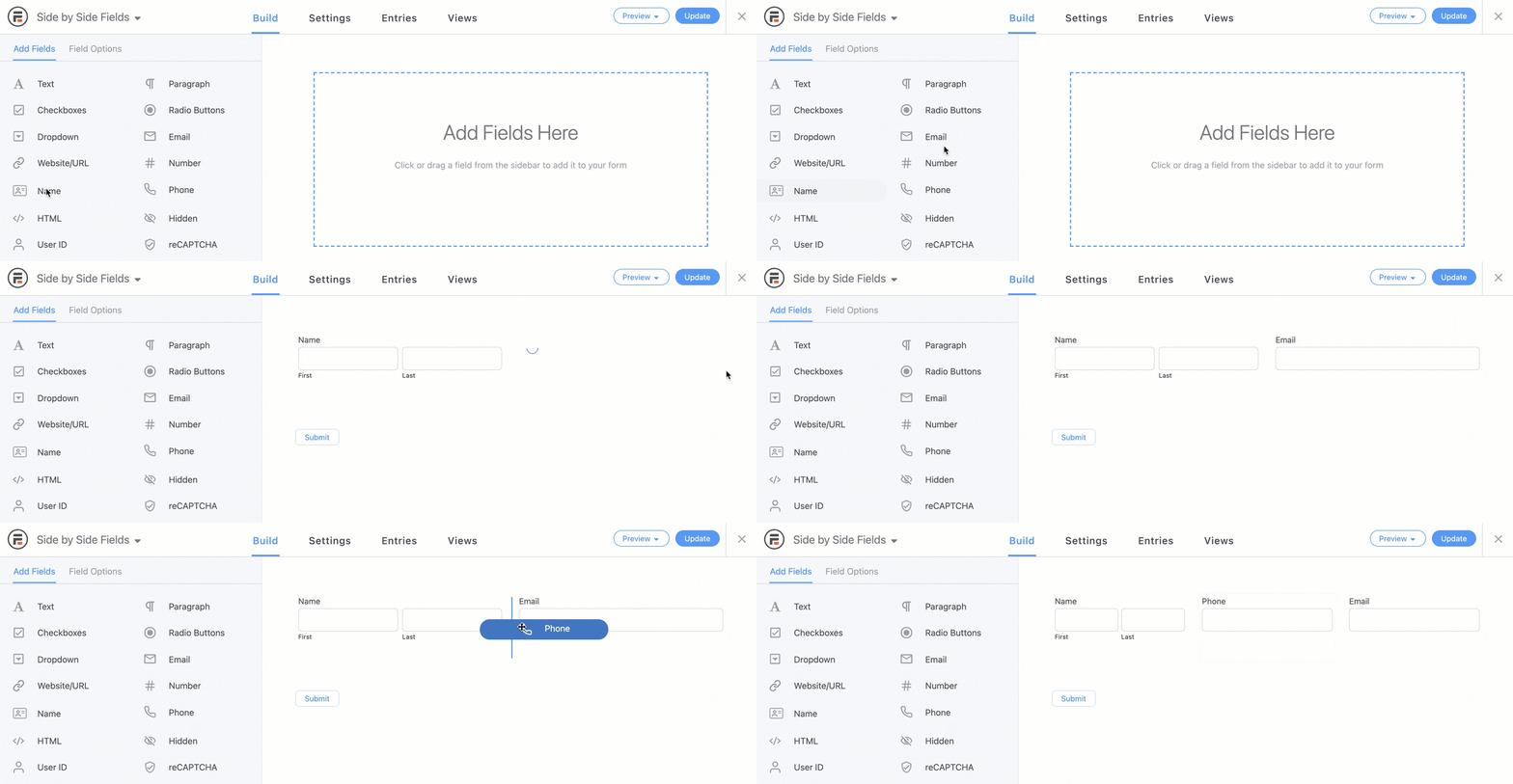
With this new feature, you can drag-and-drop form fields wherever you need, whether it’s in multiple columns or just one! This is great for quote request forms, online job application forms, or anything else that requires a lot of organization and easy navigation.
It's even great for making small contact forms and signup forms even more compact. Now you can see what you'll get when building multi-column forms!
Visual Views for custom applications

Formidable Views was already a popular way to turn forms into front-end-facing data on WordPress websites. But this year we completely overhauled it from an HTML-based format to a sleek and easy-to-use view builder.
With additions like a drag-and-drop table creator, and an easy way to show entries in grids, you can see your data come to life without any code.
This makes building web apps far faster and easier, so you can take on more projects.
High-converting Conversational Forms
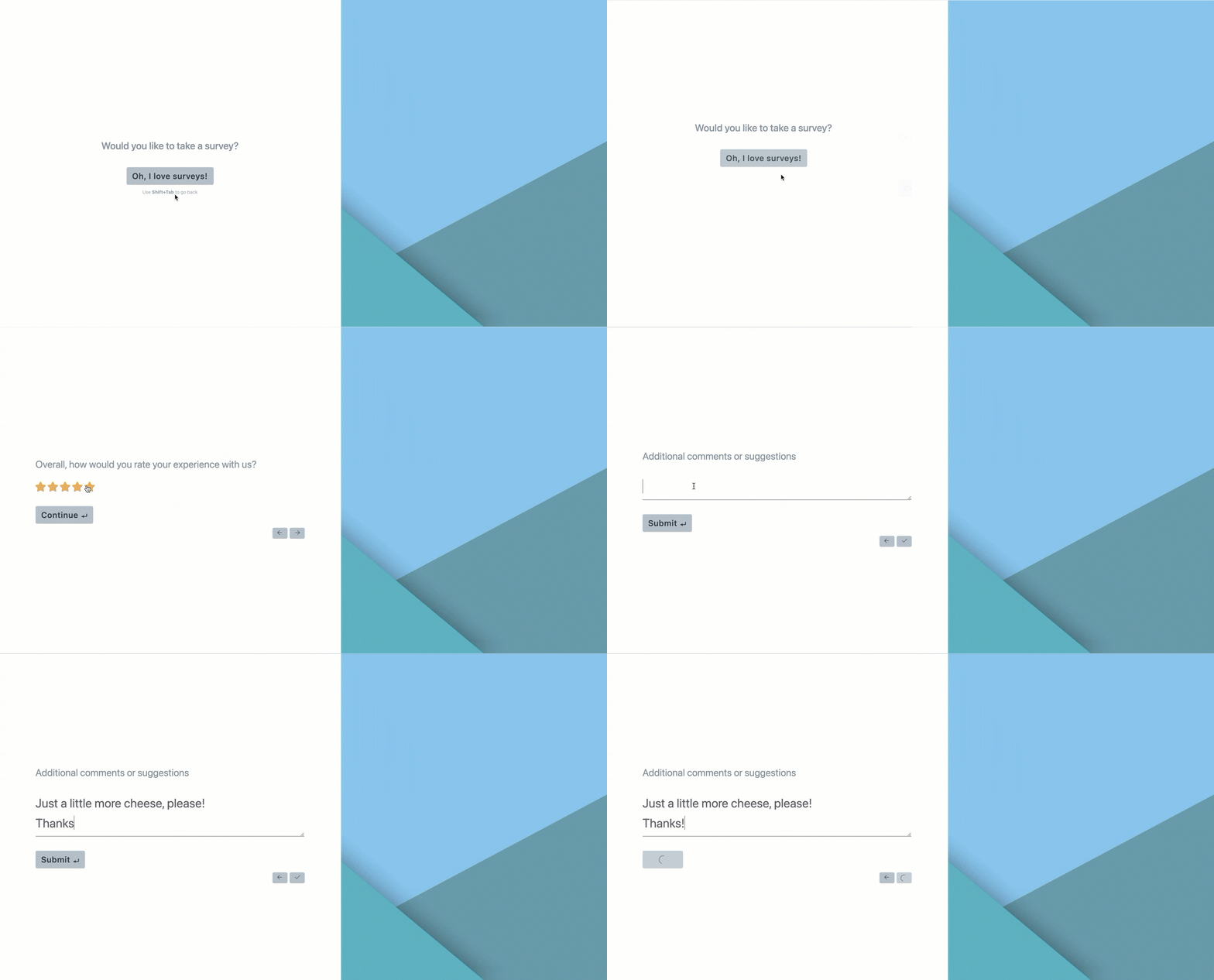
With the highly-demanded Conversational Forms feature, any form can become a question-by-question walk-through, that leads users gently through the process.
With sleek front-end conversational form designs, you can keep your elegant theme and track progress through the questions with a sleek progress bar! You can even move users automatically through the pages each time an option is selected in a field.
And the best thing of all? It's much faster than a multi-page form. With this new form-building feature, you don't have to add page breaks everywhere you want them. Simply add the form fields, and we take care of the rest!
Now you have a powerful Typeform alternative without the high prices.
Distraction-free form landing pages
With Form Landing Pages, you can turn any form into a distraction-free landing page with a few simple clicks. Give your favorite lead generation pages the full attention they deserve with classic, card, or right and left style landing pages with one of our no-code templates!
When used with Conversational Forms, you get a winning combination.
Powerful and easy surveys
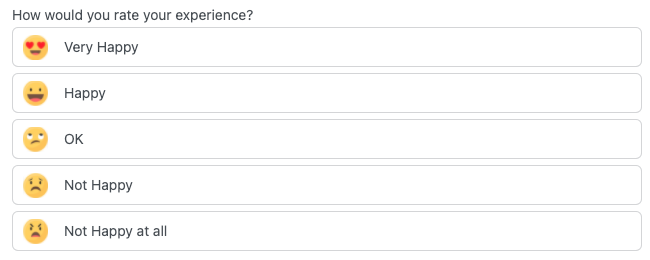
We added a lot of survey features, including button options, Likert Scales, and Net Promoter Score fields. These new fields will have your surveys performing optimally while looking just the way you want them.
Plus, each of these fields include easy graphs to calculate NPS scores and see results at a glance.
Attach a CSV to email notifications
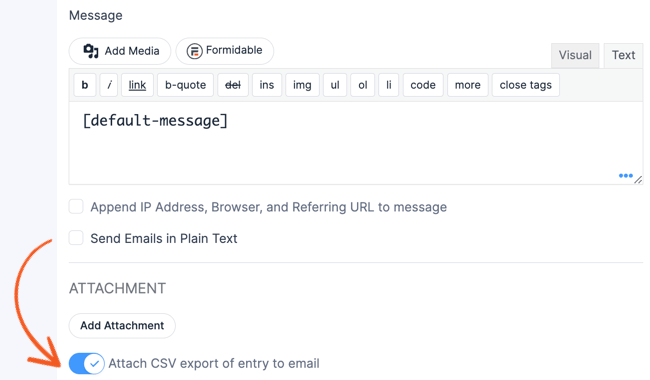
With this new feature, a simple toggle makes it possible to send a CSV export of each completed form submission to whatever email you’d like, including the user who completed it.
No more wasting time exporting and importing files or manually running workflows. We do the work for you.
Extra spam protection methods

We managed to slip in more out-of-the-box spam-protection improvements. With customizable ReCAPTCHA v3 thresholds and the ability to add a unique, recycling JavaScript token, your form submissions will be clean and your spam box empty!
Highly flexible View filtering

Filter your Views with more flexibility than ever. Now you have multiple and/or statements so you can get exactly the data you need when you need it.
Awesome new video tutorials
This past year, we've gone all-in with our YouTube channel and have earned nearly 1,500 subscribers so far. With a fabulous Video Educator on our team, we've been able to start delivering the tutorials you've been waiting for.
We also recently started an Instagram page if you prefer bite-sized news.
But most of all, we know we would be nothing without you! So thank you to our amazing community!
And be sure to check out the other amazing ways we're celebrating our 12th anniversary this week!
This article may contain affiliate links. Once in a while, we earn commissions from those links. But we only recommend products we like, with or without commissions.

