
What a pleasure to have support within minutes. Brillant, accurate answer, and solved the question. Thanks to the Formidable Team. Eric


Last updated on September 27, 2026 by Formidable Team
7 Best WordPress Request a Quote Plugins
You can answer price questions one email at a time, or you can let a form do it. The right WordPress request a quote plugin prices the job on the spot and follows up on its own. Here are the 7 best WordPress request a quote plugins for 2026, ranked by what they can actually do, not just how many sites run them.

Approximate read time: 10 minutes
Upgrade your WordPress site with powerful, flexible forms.
The 7 best request a quote plugins at a glance
Here's the short version before we dig into each one. Installs, ratings, and prices below were verified on WordPress.org and each vendor's own site in August 2026.
| Plugin | Active installs | Live pricing? | Paid price | Best for |
|---|---|---|---|---|
| Formidable Forms | 300,000+ | Yes, on every paid license | $39.50 first year, $79 renewal | Complex quotes with automatic email follow-up |
| Gravity Forms | Premium only | Yes, on every paid license | $59/year | Agencies who want a code-friendly builder with quoting built in |
| WPForms | 5 million+ | Only on the Pro plan and up | $49.50 first year, $99 renewal | Simple inquiry forms; live pricing costs more |
| Request a Quote for WooCommerce (Addify) | Premium only | Partial (live basket total) | $69/year | Quote baskets on a WooCommerce store |
| NP Quote Request for WooCommerce | 8,000+ | No | From $30/year | A well-maintained, price-hiding WooCommerce quote flow |
| Product Enquiry for WooCommerce (WisdmLabs) | 10,000+ | No | Paid upgrade (see site) | Per-product enquiry buttons on a catalog |
| YITH Request a Quote for WooCommerce | 10,000+ | No | Not listed | Replacing WooCommerce prices with an "Add to Quote" button |
From Idea to Reality in Minutes. Build Powerful Forms, Dashboards, Apps and More.
Formidable Forms makes advanced site building simple. Launch forms, directories, dashboards, and custom WordPress apps faster than ever before.
1. Formidable Forms

We built Formidable Forms. Yes, we're biased, but we're also right: it's the only plugin on this list that can price even the most irregular jobs live and email the quote back automatically.
Most quote plugins take a name and a question, then leave the request sitting in your inbox. Formidable Forms goes further: the customer picks their options, watches the total change as they go, and gets the quote emailed to them before they close the tab.
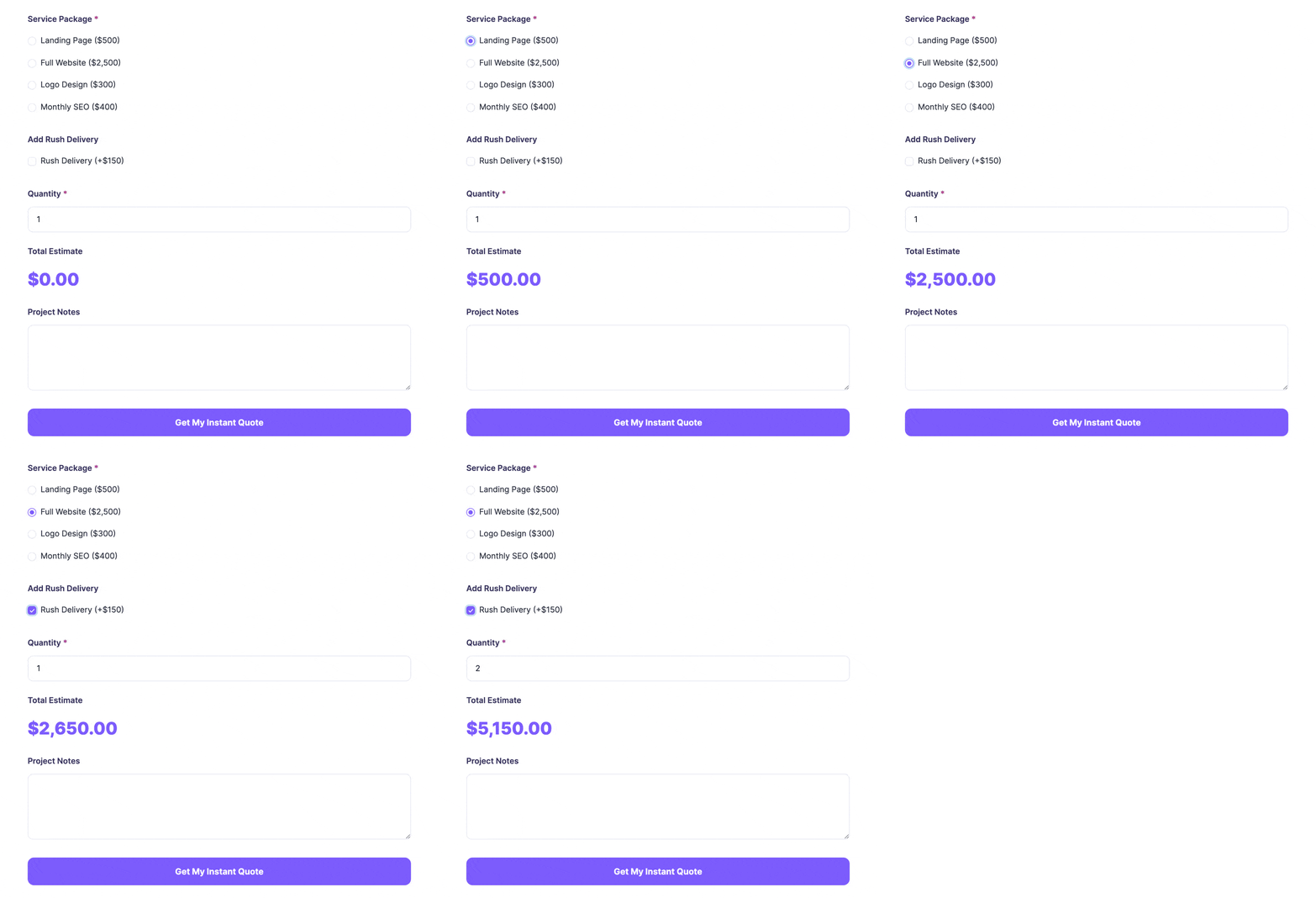
Calculated fields handle the simple math, and Lookup fields cover pricing too complex for one formula, like a rate table with dozens of different prices for different combinations. That's enough for a vacation rental, a window cleaner, a plumber, or anyone else whose price depends on what the customer picks.
Gravity Forms and WPForms can also calculate live, but neither has anything like Lookup fields, so pricing that doesn't reduce to a formula still means building it by hand. That gap, plus a free version you can try before paying, is why Formidable Forms tops this list.
Key features:
- Calculated fields and Lookup fields that quote a price live as the customer selects options
- Conditional logic that shows or hides fields based on earlier answers, so the form stays short
- PayPal, Stripe, and WooCommerce integrations to turn an accepted quote into a booking or a sale
- A ready-made Request a Quote template that starts you off with a working form instead of a blank page
Formidable Forms is free to start on WordPress.org, including the Request a Quote template. The live pricing itself needs a paid license: calculations, Lookup fields, and conditional logic come with Basic, starting at $39.50 for the first year, then $79 on renewal.

If you collect payment along with the quote, Formidable adds a 3% application fee on each transaction for Lite, Basic, and Plus. Business and Elite remove it, though your payment processor's own transaction fee still applies on every license.
Want the step-by-step build instead? Our full guide to the best instant quote WordPress plugin walks through it field by field.
2. Gravity Forms

Gravity Forms is the strongest live-pricing competitor on this list, and it usually gets filed under "developer tool" instead of "quote plugin," which undersells it.
Every paid license, including the $59-a-year Basic plan, includes native Product, Quantity, and Total fields that calculate a live running price, plus a Calculation field for custom math. It also ships a pre-built Request a Quote template.
Key features:
- Total and Calculation fields built into every license, no add-on required
- A pre-built Request a Quote template with calculations and conditional logic already wired up
- A large library of add-ons and developer hooks for custom work beyond the template
Where it loses ground to Formidable Forms is pricing that's too irregular for a formula.
Gravity Forms has no equivalent to Lookup fields, so a rate table with dozens of different prices still needs custom work to model by hand instead of just importing the table. It's also premium only, with no free version and no WordPress.org listing, so you're paying before you can even test it.
3. WPForms

WPForms is the most popular general form builder on WordPress, with more than 5 million active installs.
It does have live price calculation, through its Calculations add-on, but that add-on requires the Pro plan: $199.50 for the first year, then $399 on renewal, a lot more than the $49.50 entry price above.
Key features:
- Drag and drop builder that's genuinely easy for first-timers
- Pre-built templates, including request-a-quote layouts
- A Calculations add-on for live running totals, available on Pro and up
At the entry-level Basic plan, WPForms works like a plain inquiry form: it collects requests and routes them to your inbox, and you reply with a custom quote yourself.
That's a fine, low-cost option if you don't need the price shown on the spot. If you do, budget for Pro rather than Basic.
4. Request a Quote for WooCommerce (Addify)

Addify's Request a Quote for WooCommerce is the strongest of the WooCommerce-specific quote-basket plugins, rated 4.87 out of 5 across its reviews.
Customers add items to a quote cart, and the cart shows a live running total as they go, though a team member still finalizes the actual price before it becomes an order.
Key features:
- A quote basket with a live subtotal as customers add items
- Option to hide prices and the "Add to Cart" button
- Custom fields on the quote form to gather the details you need
There isn't a free WordPress.org listing for this one. It's sold through Addify starting at $69 per year. If your whole quote process lives inside WooCommerce and you want a tool built just for it, it's worth a look.
5. NP Quote Request for WooCommerce

NP Quote Request for WooCommerce, from Neah Plugins, is the best-reviewed of the WooCommerce plugins that don't calculate a live price, rated 4.6 out of 5 and updated in July 2026.
It hides prices, lets customers submit a quote request, and gives your team a dedicated quote-request checkout mode once you've priced it manually.
Key features:
- Add-to-quote button for WooCommerce products
- Price-hiding with a dedicated quote-request checkout mode
- Admin notifications so no request slips through
There's a free version on WordPress.org with 8,000+ active installs, plus premium extensions you buy separately, from about $30 a year.
6. Product Enquiry for WooCommerce (WisdmLabs)

Product Enquiry for WooCommerce, from WisdmLabs, focuses on individual products instead of the whole cart. It adds an Enquiry button to individual products, so a customer can ask about the exact item they're viewing instead of building a list. It has the larger install base of the two per-product tools here, but a lower review score than NP Quote Request: 4.1 out of 5, versus 4.6.
Key features:
- Enquiry button on individual product pages
- Enquiry form that captures the customer's question and details
- Email routing so the right person gets each enquiry
With 10,000+ active installs and a free version on WordPress.org, it's a popular pick for product-by-product enquiries. A paid upgrade adds multi-product enquiries, a custom form builder, and PDF quotes.
7. YITH Request a Quote for WooCommerce

YITH Request a Quote for WooCommerce has the name recognition, but the weakest reviews of the seven: 3.3 out of 5, with a large cluster of one-star ratings alongside the five-star ones. It replaces the price and "Add to Cart" button with an "Add to Quote" button, and customers build a list of products and submit one request for custom pricing, with no computed total shown.
Key features:
- "Add to Quote" button in place of the usual buy button
- Option to hide prices and the cart button to encourage quote requests
- Quote request forms customers fill out in a few clicks
It's a reasonable fit for wholesale sellers or stores with negotiable prices, but check current reviews before committing. There's a free version on WordPress.org; the premium version's price isn't listed on the vendor site, so confirm it directly with YITH before you buy.
Prefer to build your own quote form?
If none of the off-the-shelf plugins fit exactly how you price your work, you can build the quote form you actually want with Formidable Forms.
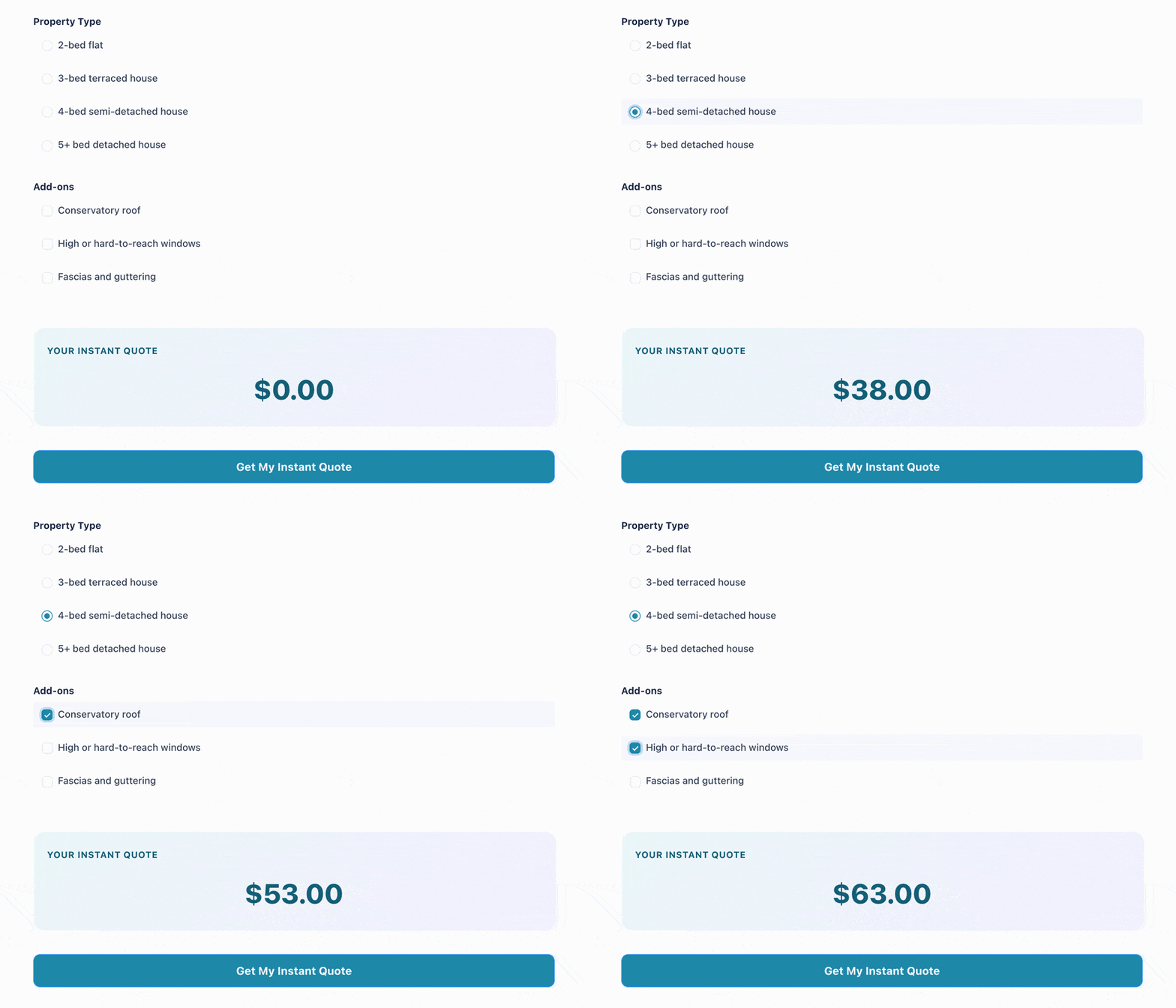
It collects the request, calculates the price live with calculated and Lookup fields, and emails the quote to the customer while notifying your team. That's a different job from comparing plugins, so we cover it in its own step-by-step guide: the instant quote WordPress plugin walkthrough builds the whole thing field by field.
Pick one, build the form, send the quote
The best request a quote plugin is the one that matches how you price your work: a plain inquiry form if every job costs about the same, a plugin that calculates the number live if it doesn't. Formidable Forms does both, plus the one thing nothing else on this list can: quote pricing too complex for a formula and email the finished quote back automatically.
Start free, build the form, and have a live quote calculating on your site by this afternoon. Get Formidable Forms and see for yourself.
What is the best WordPress request a quote plugin?
It depends on what you sell, but Formidable Forms is our pick because it does more than store a request. It calculates an accurate price while the customer fills out the form and emails them the quote automatically, using calculated fields and Lookup fields. Gravity Forms is the closest competitor on live pricing, WPForms can do it too on the Pro plan and up, and for WooCommerce stores, Addify's Request a Quote for WooCommerce is the best reviewed of the basket-style plugins.
Can I build a request a quote form in WordPress for free?
Yes. The free Formidable Forms Lite version includes the drag and drop builder, responsive forms, and the Request a Quote form template, enough for a basic quote request form. Live price calculations, Lookup fields, and conditional logic come with the paid licenses. Basic starts at $39.50 for the first year, then $79 to renew.
Can a quote form calculate a price automatically?
Yes, if the plugin supports it. Formidable Forms, Gravity Forms, and WPForms (on its Pro plan and up) all calculate a total live as the customer selects options. Formidable Forms adds Lookup fields for pricing too irregular for a formula, then emails the quote to the customer automatically, which most basic quote plugins can't do.
This article may contain affiliate links. Once in a while, we earn commissions from those links. But we only recommend products we like, with or without commissions.

