
What a pleasure to have support within minutes. Brillant, accurate answer, and solved the question. Thanks to the Formidable Team. Eric


Last updated on August 12, 2026 by Formidable Team
How To Create an Ajax Registration Form in WordPress
Struggling to create an Ajax user registration form for your WordPress sites? We've got you covered! With a form builder and user registration integration, it's easy!

If you're looking for a way to get an Ajax registration form on your WordPress site, there are two main ways to do it:
- Code it manually
- Use a WordPress plugin
WordPress is a great tool, but it doesn't have everything by default. Unless you are a really good coder, your best bet is to use a WordPress form builder. Of course, not all form builders are created equal. More on that later.
Today we'll show you how to do this with a plugin called Formidable Forms. Before we show you the Ajax registration form, let's take a quick look at a few features that make Formidable the best Ajax form plugin on the block.
Our guide to Ajax registration forms
Upgrade your WordPress site with powerful, flexible forms.
Creating your own Ajax registration form
Want to try coding jQuery Ajax by yourself? Without experience, that's going to be a challenge! Are you familiar with concepts like Ajax requests, type POST, type TEXT, Ajax calls, input types, success functions, and function responses?
If that made your head spin, don't worry! We're going to show you how to create an Ajax registration form with just a few clicks. All you need are the right tools.
From Idea to Reality in Minutes. Build Powerful Forms, Dashboards, Apps and More.
Formidable Forms makes advanced site building simple. Launch forms, directories, dashboards, and custom WordPress apps faster than ever before.
Why Formidable for Ajax registration forms?

As you'll soon see, Formidable can handle Ajax registration forms with ease. But it can do so much more than that! Especially when it comes to Ajax.
With Formidable, pretty much any form you want can be Ajax-ified. And sure, there are other form plugins like WPForms, but Formidable has advanced features that can't be compared.
One example? Formidable's WooCommerce form builder allows users to build custom WooCommerce registration forms — using Ajax of course.
Beyond that, Formidable can create event registration forms and almost any kind of registration form you can think of. And all thanks to the user registration add-on.
If you've got complex forms in mind, try our Ajax multi-step forms! Spread your forms across multiple pages and you'll convert more users than you thought possible.
Creating your registration form
An Ajax form allows you to collect submissions without a page refresh. And of course, a registration form allows you to collect registrations.
In Formidable, creating a form to allow users to login and register for an account is easy. You could use our registration form template, which includes everything you need (like password fields and profile photo uploads).
Or you can build your own form using our drag-and-drop form builder:
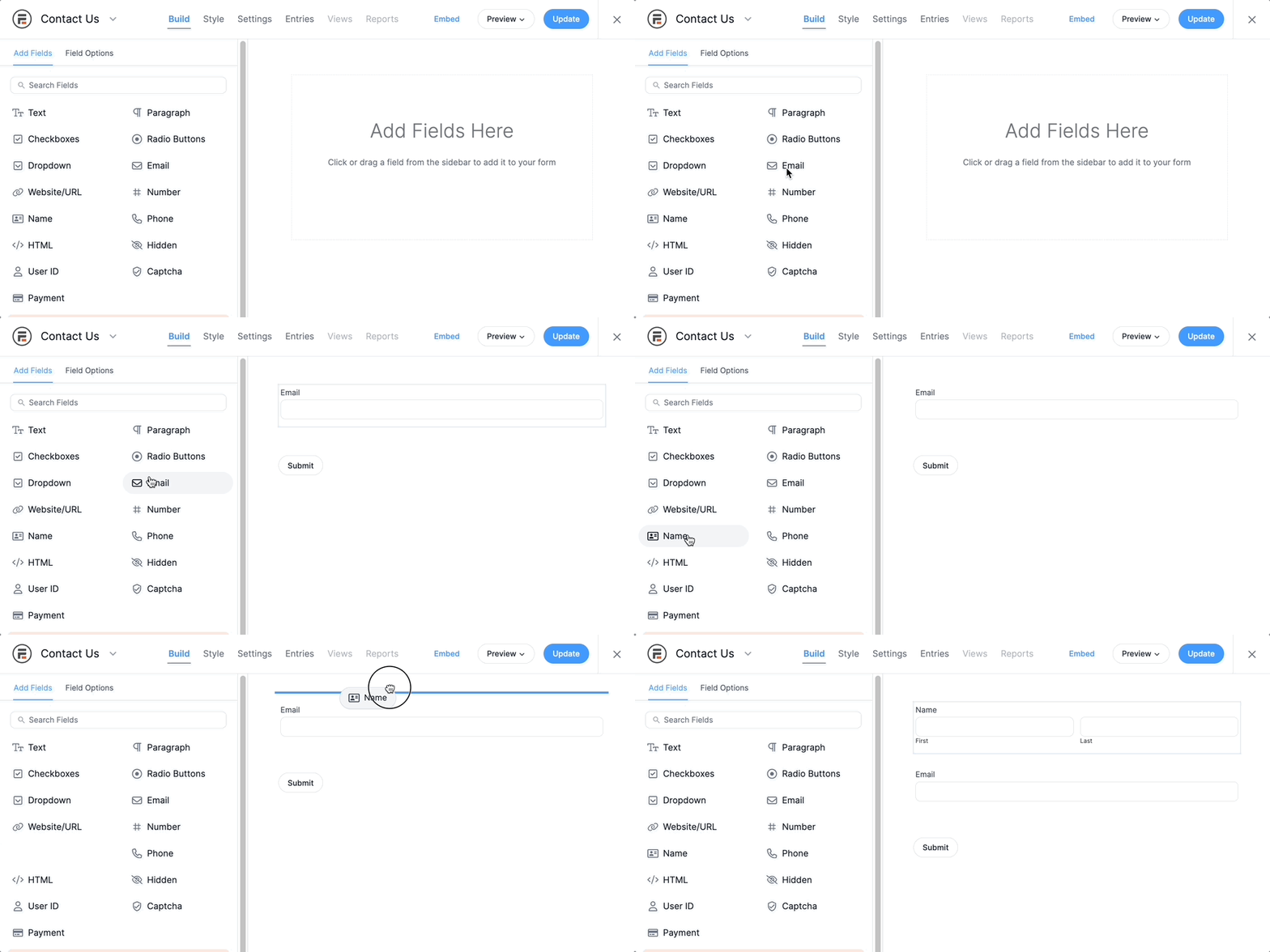
Also, if users may need to register multiple users at once, you can add a Repeater field and then adjust the registration settings to register them all at once. This creates a much better user experience for users.
After you've got your registration form ready, now we need to turn on Ajax. Are you ready? All you need to do is tick these 3 boxes:

We told you this would be easy! These options are found in the Form Settings tab of any form you create with Formidable.
And you can follow these same simple steps to create Ajax contact forms and multi-step Ajax forms too.
Ready to make your Ajax registration form?
That's really all there is to it. Formidable is powerful enough to handle any Ajax form you can think of. And you can integrate it with other platforms to do even more.
For example, you can easily create a Mailchimp Ajax form. Or use Formidable together with OptinMonster and create a modal popup form for registration (or anything you want)!
Or you can just keep things simple and use our widget to create an Ajax login form. You decide.
Thanks for stopping by — stay tuned to the Formidable blog for more WordPress tips and tricks.
Learn more about adding Ajax to WordPress forms
 How To Create an Ajax Contact Form in WordPress Fast!
 The Best WordPress Ajax Form Plugin (And How To Use It)
 How To Create a Mailchimp Ajax Form in WordPress
Get Formidable now! Our 14-day money-back guarantee makes sure you won't risk anything. And if you still aren't sure, you can get started with our free form builder too.
This article may contain affiliate links. Once in a while, we earn commissions from those links. But we only recommend products we like, with or without commissions.

