
What a pleasure to have support within minutes. Brillant, accurate answer, and solved the question. Thanks to the Formidable Team. Eric


Last updated on August 12, 2026 by Kyle Cash
Formidable Forms Currency Fields Update Incoming!
The new Currency Fields update in Formidable Forms makes handling money easy! Add currency inputs to your forms and improve transactions today!

Approximate read time: 3 minutes
Nothing slows down your workflow like manually adding currency symbols, fixing decimal points, or formatting numbers so that they look right.
It's tedious, frustrating, and worst of all — it's easy to make mistakes.
But what if your forms could handle all of that for you?
Well, you don't have to wonder because Formidable Forms just released its newest update: Currency Fields. With this feature, you can instantly format numbers as currency with just a one-click change.
No more worrying about misplaced commons, inconsistent currency symbols, or confusing number formats.
Just smooth, professional-looking currency formatting — every single time.
Upgrade your WordPress site with powerful, flexible forms.
Fewer headaches for you and your business
One thing is always true whether you're collecting payments, displaying prices, or managing financial data.
Clear and consistent currency formatting is essential.
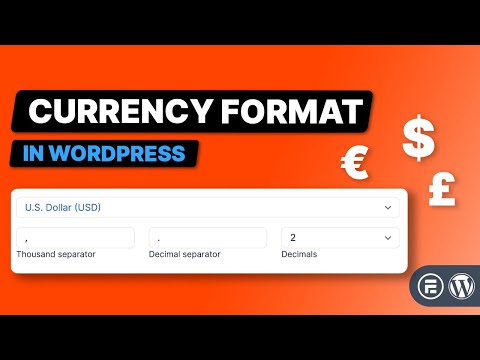
But manually formatting every number? That's a headache you don't need. And that's where Currency Fields come in. With them, you can:
✅ Save time with automatic formatting
✅ Reduce errors and improve accuracy
✅ Maintain consistency across all your forms
Best part? You set the currency settings once, and it works everywhere.
From Idea to Reality in Minutes. Build Powerful Forms, Dashboards, Apps and More.
Formidable Forms makes advanced site building simple. Launch forms, directories, dashboards, and custom WordPress apps faster than ever before.
How it works
Using Currency fields is as simple as flipping a switch (or just choosing it from a dropdown).
Here's how simple it is:
- Create a form and add one of the currency-friendly fields (Text, Paragraph, Number, Slider, or Hidden).
- Choose Currency from the Format dropdown in the field settings
- Let Formidable do the work to apply symbols, commas, and decimal formatting automatically.

You may wonder how to set the currency symbol, decimals, etc. because it's not in the settings above. For that, we'll head to the Global Settings in Formidable so that the settings apply to every form, not just this current one (which saves you a ton of time in the future).
Under the General Settings tab, you can adjust your settings to match your exact needs:

Once these are set, you're done! No more customization and no more setting changes.
Just set it, and forget it.
Where Currency Fields can help you
Believe it or not, most businesses can benefit from using currency fields.
As we mentioned earlier, inconsistent formatting can lead to serious issues. And solving that should be a top priority. But how exactly? Well, here are a few real-world scenarios:
- Instant quotes: Automatically format prices when users request a quote so they see a professional-looking estimate.
- Order & payment forms: Show properly formatted currency in checkout forms for less confusion.
- Donations & fundraising: Ensure every contribution is displayed with the correct currency symbol and format.
- Cost calculators: From mortgage calculators to service pricing tools, Currency Fields ensure numbers are easy to understand.
So, realistically, it isn't about whether currency fields can help you or not...it's how can't they?
Try Currency Fields today
Stop wasting time formatting numbers manually. Currency Fields handles it all so you can focus on other tasks instead of fiddling with currency settings.
This feature is now available in Basic, Plus, Business, and Elite Formidable Pro plans. So, if you're already a Formidable user, update your plugin, and you're good to go.
If you're not a customer yet, we just have to ask what you're waiting for! Don't waste any more time—start using Currency Fields today and get Formidable Pro!
Also, follow us on Facebook, Twitter, LinkedIn and YouTube so you get the latest updates as they happen. Or, join 50,000+ others who hear the latest from Formidable Forms in our monthly newsletter!
Get the Formidable Forms Newsletter
This article may contain affiliate links. Once in a while, we earn commissions from those links. But we only recommend products we like, with or without commissions.

