
What a pleasure to have support within minutes. Brillant, accurate answer, and solved the question. Thanks to the Formidable Team. Eric


Last updated on September 30, 2026 by Emma Wells
Transform Your WordPress Forms with Custom CSS
Formidable Forms' Visual Styler has always made form styling incredibly easy—no code required. But what if you want to go even further? What if you need that perfect gradient effect, those exact brand styles, or a completely unique design that sets your forms apart?
Now you can. Custom CSS support in Formidable Forms gives you unlimited creative freedom while maintaining all the convenience you already love.

Upgrade your WordPress site with powerful, flexible forms.
The Best of Both Worlds
You already know the Visual Styler: quick settings, style templates, drag-and-drop simplicity. It's perfect for most styling needs, and it's still the fastest way to create beautiful forms.
But sometimes you need more:
- Exact brand colors with complex gradients
- Advanced animations and transitions
- Glassmorphism, neumorphism, or other modern effects
- Pixel-perfect spacing that matches your design system
- Custom hover states and interactive elements
That's where Custom CSS comes in. And here's the genius part: it works seamlessly with the existing Visual Styler feature.
From Idea to Reality in Minutes. Build Powerful Forms, Dashboards, Apps and More.
Formidable Forms makes advanced site building simple. Launch forms, directories, dashboards, and custom WordPress apps faster than ever before.
How Custom CSS Transforms Your Forms
Let's look at the same basic contact form styled 12 completely different ways using a mix of the Formidable Styler options and custom CSS. Each demonstrates what's possible when you combine Formidable's solid foundation with unlimited styling freedom.
Even better? All 12 of these are complete style templates with custom CSS already built in. Apply them to any form with one click, or use them as inspiration for your own designs.
Note: While the Visual Styler is available in the free version of Formidable Forms, these 12 pre-built style templates are included in all Pro plans.

1. Soft Purple
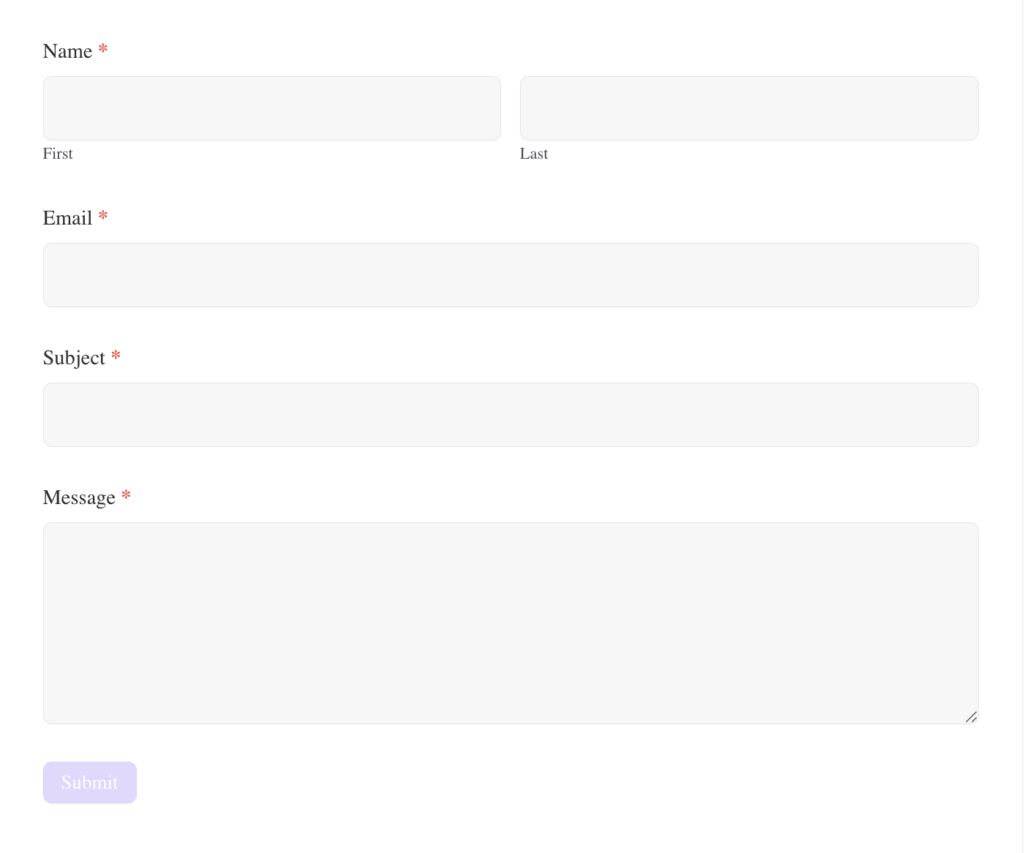
Lavender accents with neutrals for a gentle, elegant touch.
What custom CSS achieves in this template:
- Custom purple checkbox checkmarks using SVG data URLs
- Purple accent color blocks with rounded corners for results display
- Custom styling for calculation totals with larger, bold fonts
- Precise color matching for unit labels and form elements
- Rounded form corners
2. Twilight UI
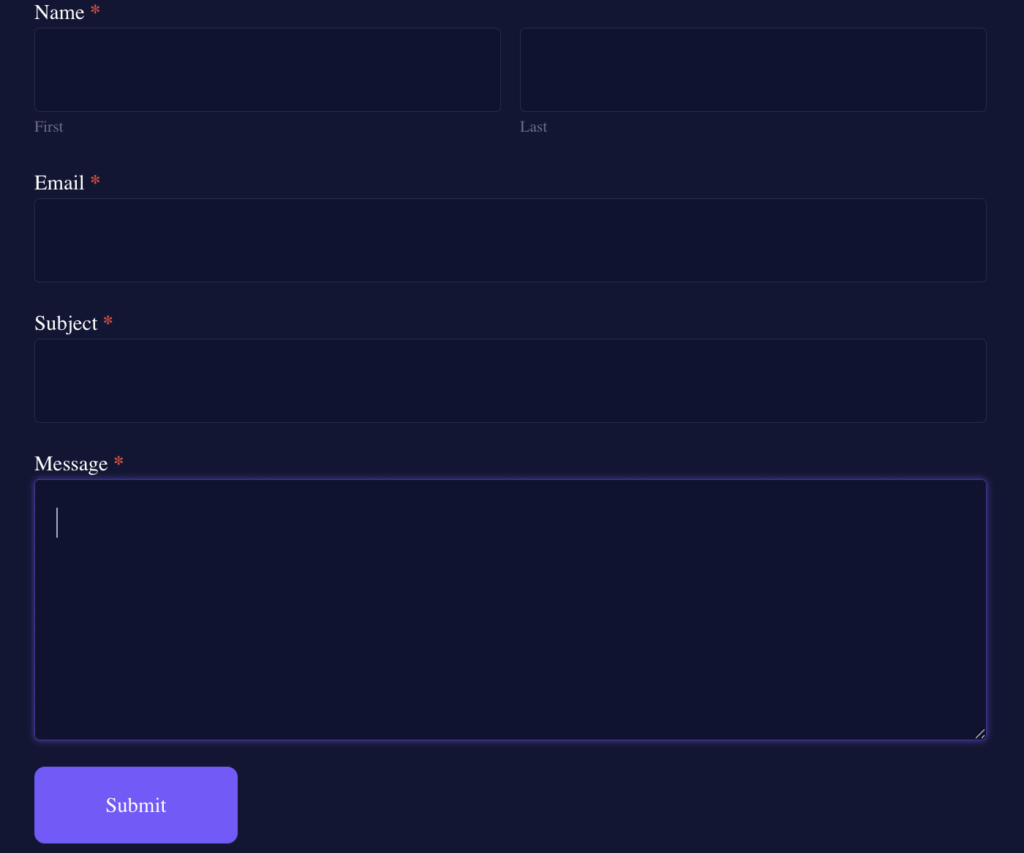
Deep navy with purple accents for a dramatic night-mode aesthetic.
What custom CSS achieves in this template:
- Custom toggle switches with precise sizing and purple accent color
- Enlarged slider handles for better interactio
- Rounded form corners and refined spacing adjustments
- Custom purple slider track color
3. Modern Pastel

Soft purples and gentle tones for a calm, airy, contemporary feel.
What custom CSS achieves in this template:
- Multi-color gradient background
- Purple slider track color customization
- White color blocks with rounded corners for total breakdowns
4. Blush Modern

Soft, trendy pinks paired with muted neutrals for a light, modern feel.
What custom CSS achieves in this template:
- Pink circular accent element (using border-radius and custom padding)
- Rounded form corners with soft drop shadow for depth
- Custom flexbox layout for centered heading elements
- Refined spacing between form elements
5. Dark Navy Professional

Deep navy tones paired with crisp neutrals for a polished, executive, and highly refined look.
What custom CSS achieves in this template:
- Rounded form corners for modern appearance
6. Modern Minimalist
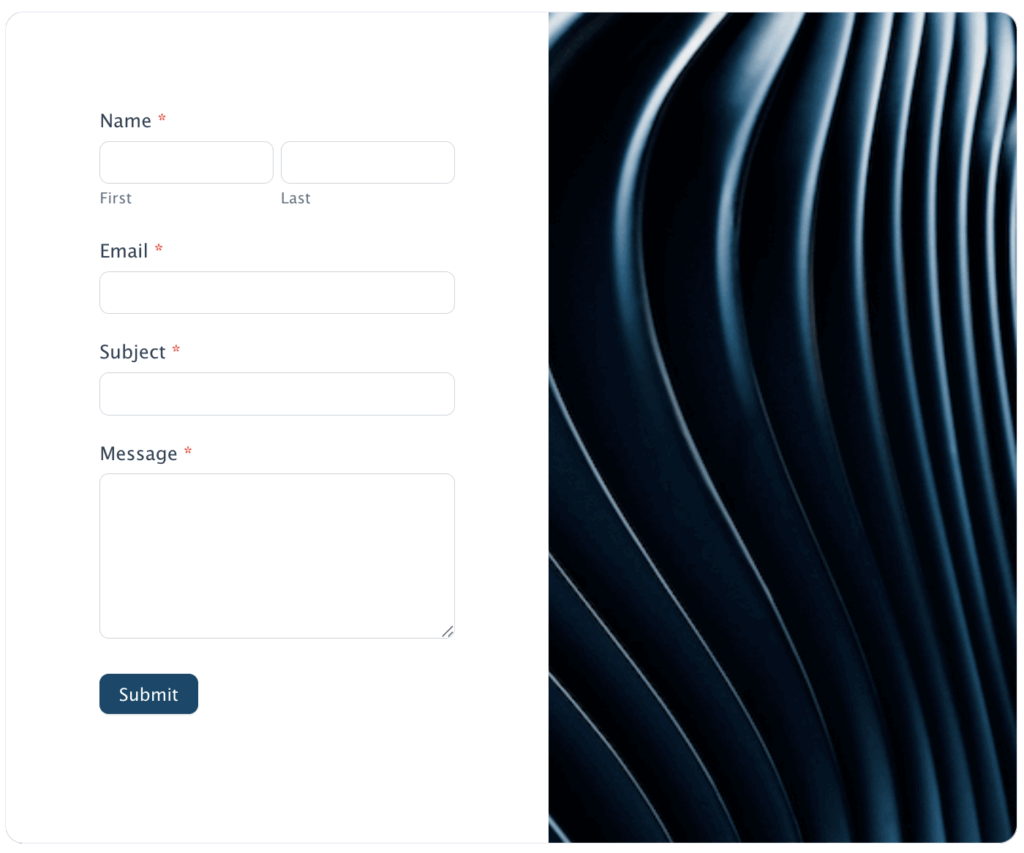
Dark neutrals with a single bold accent for a sleek, modern minimal style.
What custom CSS achieves in this template:
- Split-screen CSS layout
- Integrated brand imagery
- Scale rating customization
- Rounded corners with overflow hidden for clean edges
7. Warm Beige

Cream and brown tones creating a warm, soft beige palette with a custom image border.
What custom CSS achieves in this template:
- Border-image property with custom photo URL
- Custom radio button borders for brand consistency
8. Modern Forest

Deep greens with earthy accents for a grounded, nature-inspired vibe.
What custom CSS achieves in this template:
- Radio button border customization to maintain consistency
- Custom "Start Over" button with green background and generous padding
9. Aqua Glow UI

Bright aqua and teal tones paired with a white background for a vibrant, glowing interface style.
What custom CSS achieves in this template:
- Increased border-radius (for extra rounded corners)
- Clean, modern appearance with minimal styling
10. Classic Blue
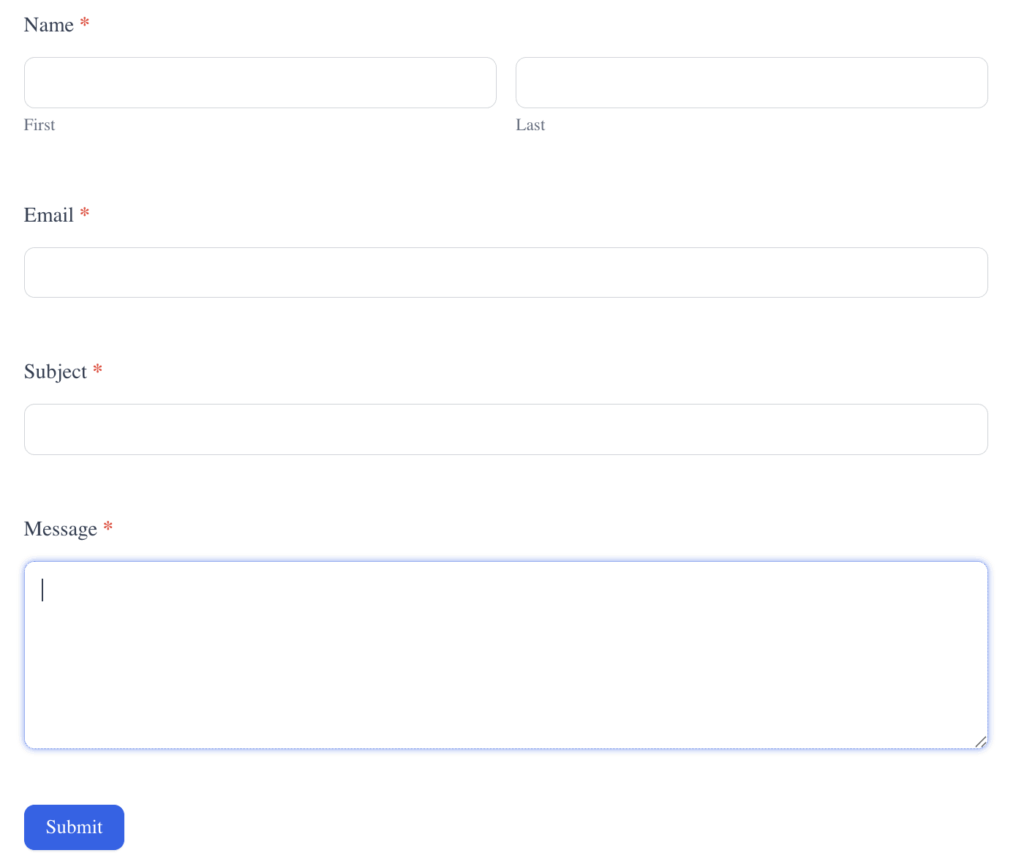
White background with dark and medium blue accents for a clean, classic look.
What custom CSS achieves in this template:
- Blue header background
- Custom negative margins to create full-width header effect
- Rounded top corners (16px) for modern appearance
- White text on blue background for high contrast
- Semi-transparent description text
- Overall rounded form corners
11. Citrus Modern

A palette with white, black, and bright yellow beside a bold green background.
What Custom CSS does in this template:
- Light gray color blocks with rounded corners
- Custom text colors for labels and totals
- Rounded form corners
- Refined spacing for calculation results
12. Classic Clean

A group of white and gray tones with bold green accents.
What Custom CSS does in this template:
- Clean, minimal styling approach
- Classic rounded corners
- High readability with ample white space
The Power of Style-Based Custom CSS
Here's what makes Formidable's Custom CSS implementation so powerful:
Apply Once, Style Everywhere
Custom CSS lives inside your style templates. Simply toggle it on, add your CSS code, and every form using that style automatically gets the design. Launch a rebrand? Update the CSS once in the style template, and all your forms transform instantly.
This isn't just convenient—it's a game-changer for agencies managing multiple client sites or businesses with dozens of forms.
Simple Toggle Control
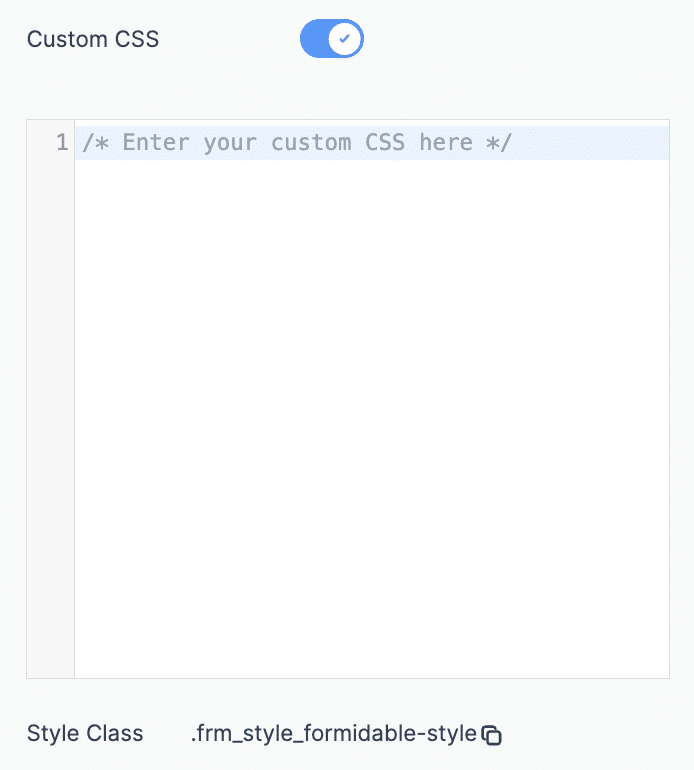
Inside each style template, you'll find a Custom CSS toggle in the Quick Settings panel. Turn it on, paste your CSS below, and you're done. The CSS applies to every form using that style—no manual copying, no individual form editing.
Start with Visual Styler, Enhance with CSS
You don't need to choose between the Visual Styler and Custom CSS—use both!
The workflow:
- Build your form structure
- Create or select a pre-existing style
- Use Visual Styler Quick Settings for base styling (colors, fonts, spacing)
- Toggle Custom CSS on in the style
- Add CSS in the code editor for advanced effects (gradients, animations, unique layouts)
- Save the style
- Apply to unlimited forms
This hybrid approach gives you speed AND flexibility. The Visual Styler handles the fundamentals, Custom CSS adds the finishing touches that make your forms truly unique.
Use ChatGPT to Generate Your Custom CSS
Not a CSS expert? No problem. AI tools like ChatGPT can generate production-ready CSS based on simple descriptions.
Since the Visual Styler already handles colors, fonts, spacing, and basic styling, Custom CSS is perfect for those finishing touches that make your forms stand out.
The easiest workflow:
- Publish your form on a page
- Save the webpage (Right-click > Save As > "Webpage, Complete")
- Upload the HTML file to ChatGPT along with your prompt
- ChatGPT can now see the exact div names and class structure
Example prompt with file upload:
I've uploaded my Formidable Form HTML. Create CSS for the submit button with a smooth hover animation. When hovering, the button should slightly grow and add a soft glow effect with a 0.3 second transition. Use the actual class names from my form.
By uploading your form's HTML, ChatGPT can target the correct Formidable Forms classes like .frm_submit_button, .frm_inline_box, .frm_color_blockand other specific selectors instead of guessing generic class names.
More specific prompt examples (with uploaded HTML):
"Looking at my form HTML, add a subtle gradient background that goes from light blue at the top to white at the bottom"
"Using the class names from my uploaded form, create a pulsing animation for the submit button"
"Add a frosted glass effect to the input fields using the correct Formidable Forms field classes"
"Create custom focus states for input fields with a glowing border that fades in, targeting the right field wrappers"
Copy the generated CSS and paste it into your style template's Custom CSS editor—no class name adjustments needed!
Pro tip: Be specific about what you've already styled with the Visual Styler. For example: "I've already set my button color to #FF7185 using the Visual Styler. Now add a hover effect that darkens it slightly and adds a shadow." .
When to Use Visual Styler vs. Custom CSS
Use Visual Styler when:
- You need fast results
- Standard customization is sufficient
- You want simple color and font changes
- You're building straightforward forms
- You prefer a no-code solution
Add Custom CSS when:
- You need exact brand matching
- You want modern visual effects
- Your design requires complex layouts
- You need custom animations
- You want to create a signature style
Use both when:
- You want the perfect balance of speed and customization
- You're building a complete form system
- You need consistency across many forms with unique touches
Getting Started with Custom CSS in Formidable Forms
- Build your form using Formidable's drag-and-drop builder
- Open your style in the Visual Styler
- Toggle Custom CSS on in the Quick Settings panel
- Add your CSS in the code editor that appears below
- Save your style template
- Apply the style to any form—they all inherit the custom CSS automatically
Every form using that style template automatically gets your custom design. Need to refine it? Edit the CSS in the style template once, and all forms using that style update everywhere.
Transform Your Forms Today
The Visual Styler made form design accessible to everyone. Custom CSS takes it to the next level—unlimited creative freedom with the same ease of use you expect from Formidable Forms.
Whether you want the clean professionalism of the calculator interface, the bold impact of the cyan-bordered survey, or the sophisticated elegance of the dark feedback form—it's all possible now.
Your forms are often the first interaction users have with your brand. Make them unforgettable.

Get started with Formidable Forms and discover what's possible when Visual Styler meets Custom CSS.
This article may contain affiliate links. Once in a while, we earn commissions from those links. But we only recommend products we like, with or without commissions.

