
What a pleasure to have support within minutes. Brillant, accurate answer, and solved the question. Thanks to the Formidable Team. Eric


Last updated on September 30, 2026 by Emma Wells
The Fastest Way to Test WordPress Forms Accurately
WordPress form testing shouldn't slow you down. But if you've ever built a complex form, you know the frustration: filling out dozens of fields just to test one conditional rule. Creating fake accounts to check role-based visibility. Temporarily disabling required fields. Commenting out email actions to avoid spam during testing.
It's tedious. It's time-consuming. And honestly? It shouldn't be this hard.
That's why we built Testing Mode - a powerful new feature that transforms how you test and preview your WordPress forms.
Approximate read time: 6 minutes
Upgrade your WordPress site with powerful, flexible forms.
The Problem with Traditional Form Testing
Let's be honest about what form testing usually looks like:
You've built a multi-page registration form with conditional logic, required fields, and email notifications. Now you need to test if page 3 displays correctly when someone selects "Business" instead of "Individual" on page 1.
So you fill out page 1. Then page 2. Then finally reach page 3 to see... it's not working right. Back to the form builder. Make a change. Now test again. Fill out page 1 again. Page 2 again. Page 3 again.
And heaven forbid you need to test something that requires admin permissions, or test with email actions disabled, or see what happens when hidden fields are visible.
Traditional WordPress form testing means:
- Manually filling out long forms repeatedly
- Temporarily removing required field validation
- Creating test user accounts for different roles
- Disabling form actions to prevent unwanted emails or redirects
- Losing time on repetitive tasks instead of building better forms
There has to be a better way.
From Idea to Reality in Minutes. Build Powerful Forms, Dashboards, Apps and More.
Formidable Forms makes advanced site building simple. Launch forms, directories, dashboards, and custom WordPress apps faster than ever before.
Introducing Test Mode for Formidable Forms
Test Mode is a game-changing feature that puts powerful testing controls right at your fingertips. When you preview any form in Test Mode, you get a sleek control panel at the top of the page with seven essential testing tools:
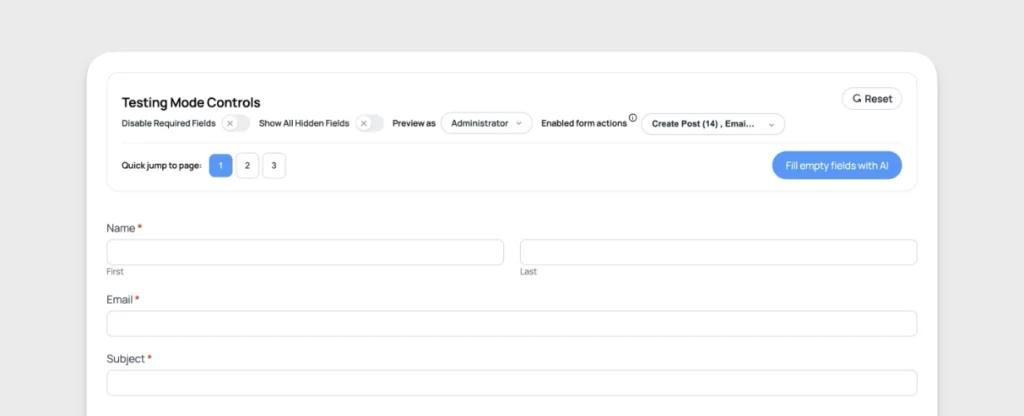
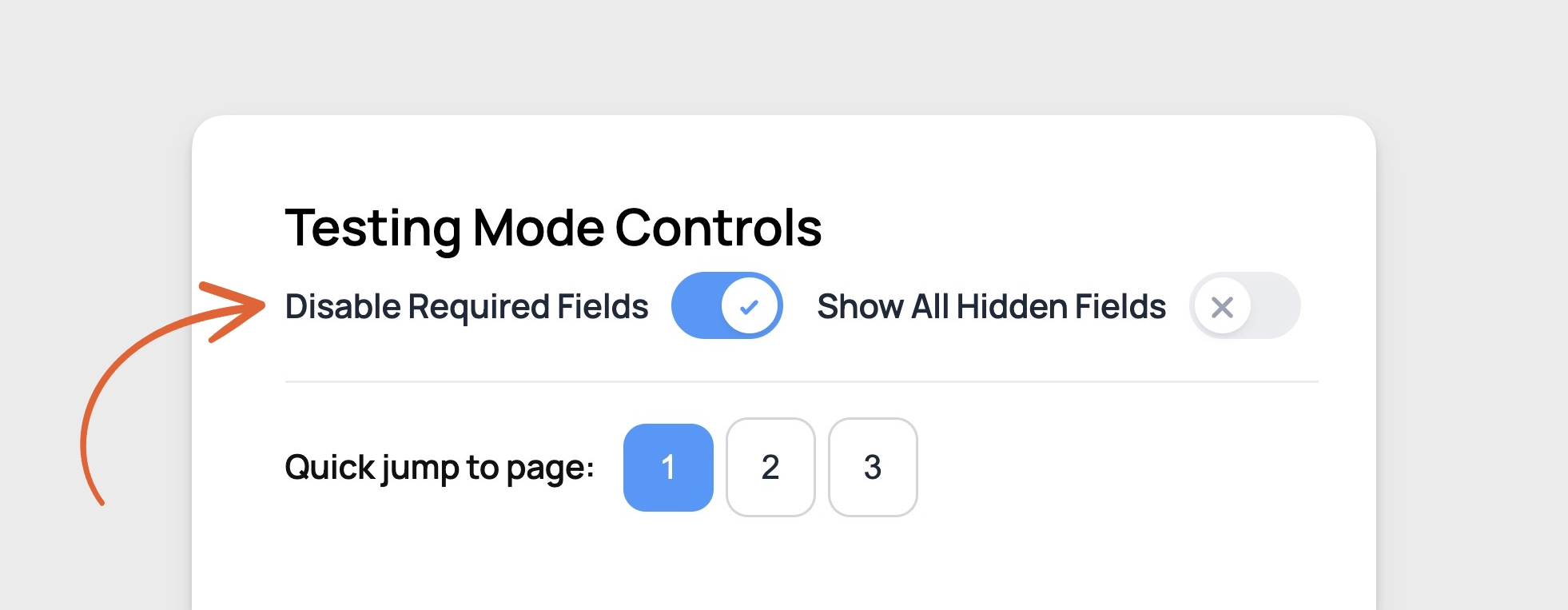
1. Disable Required Fields
Skip validation entirely. No more filling out every required field just to test something on the last page. Toggle this on, and suddenly that 50-field form becomes testable in seconds instead of minutes.
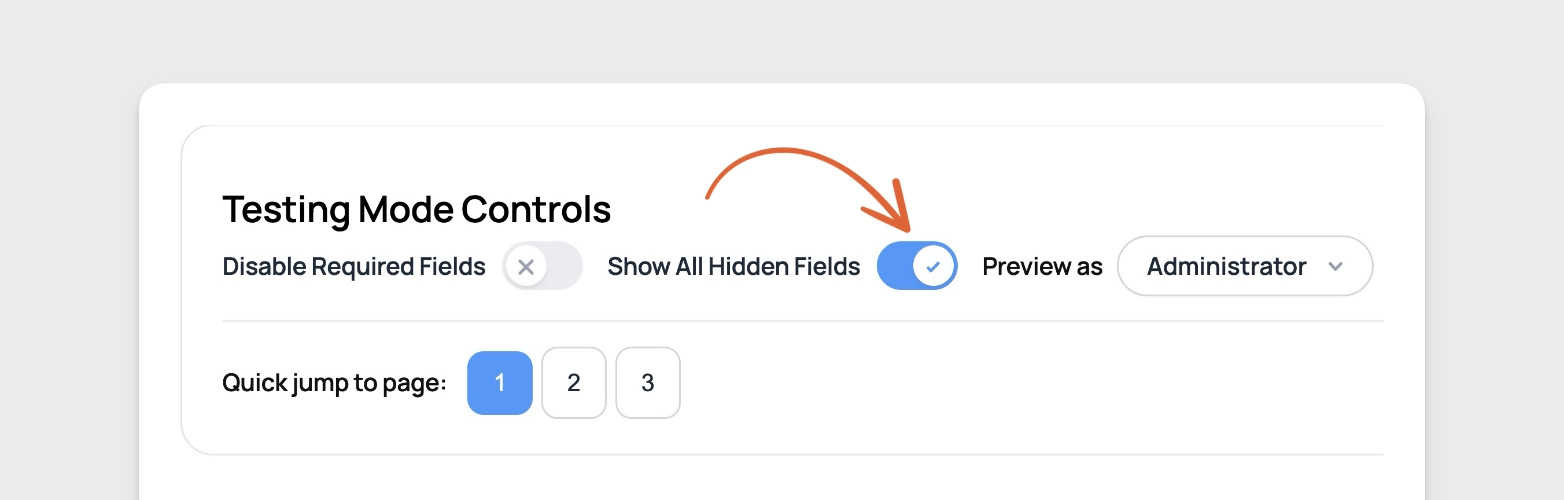
2. Show All Hidden Fields
See every field at once - including conditionally hidden fields, fields hidden via visibility settings, actual Hidden field types, and fields hidden with custom CSS classes. Perfect for debugging why a field isn't appearing when it should.
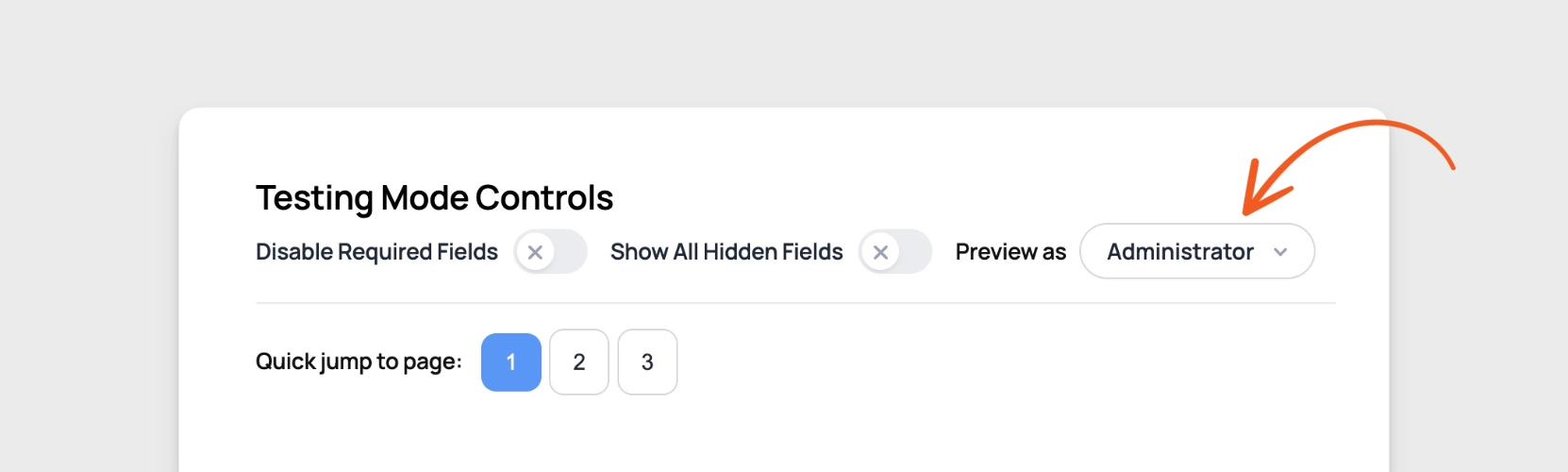
3. Preview as Role
Test your form as if you were any WordPress user role - Administrator, Editor, Subscriber, or any custom role. No need to create test accounts or log out and back in repeatedly.
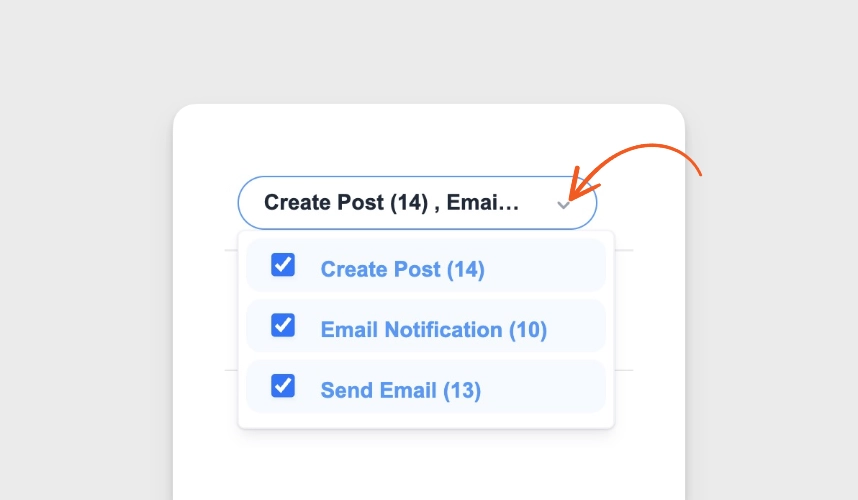
4. Enable/Disable Form Actions
Control which actions fire when you submit the form. Disable email notifications during testing so you don't spam yourself. Turn off redirects to stay on the success message. Or disable API connections to avoid creating test data in your CRM.
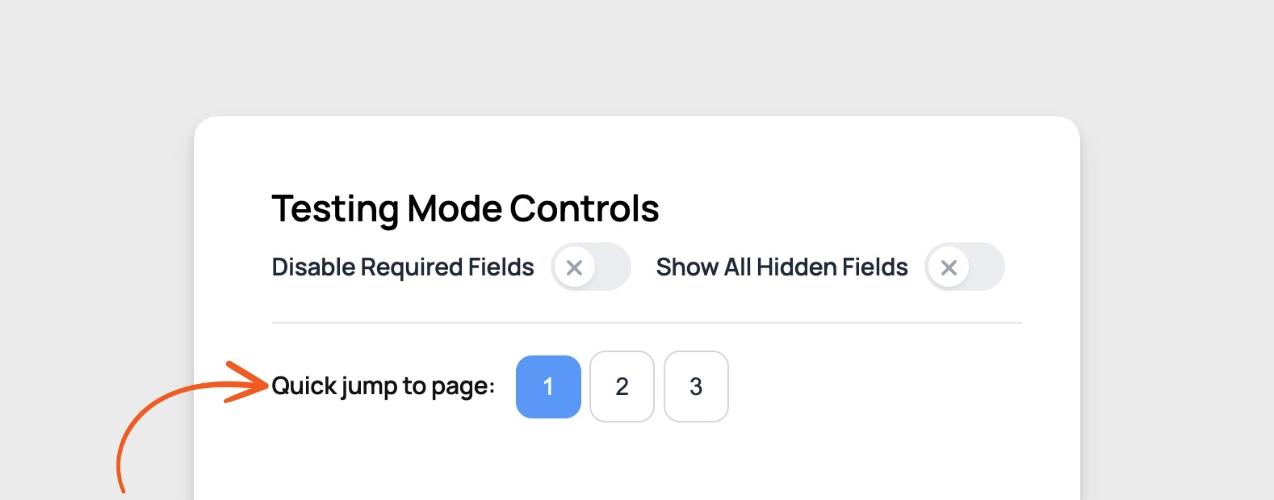
5. Quick Jump to Page
Multi-page form? Jump directly to any page without filling out the previous ones. Test page 7 of your 10-page form without touching pages 1-6.
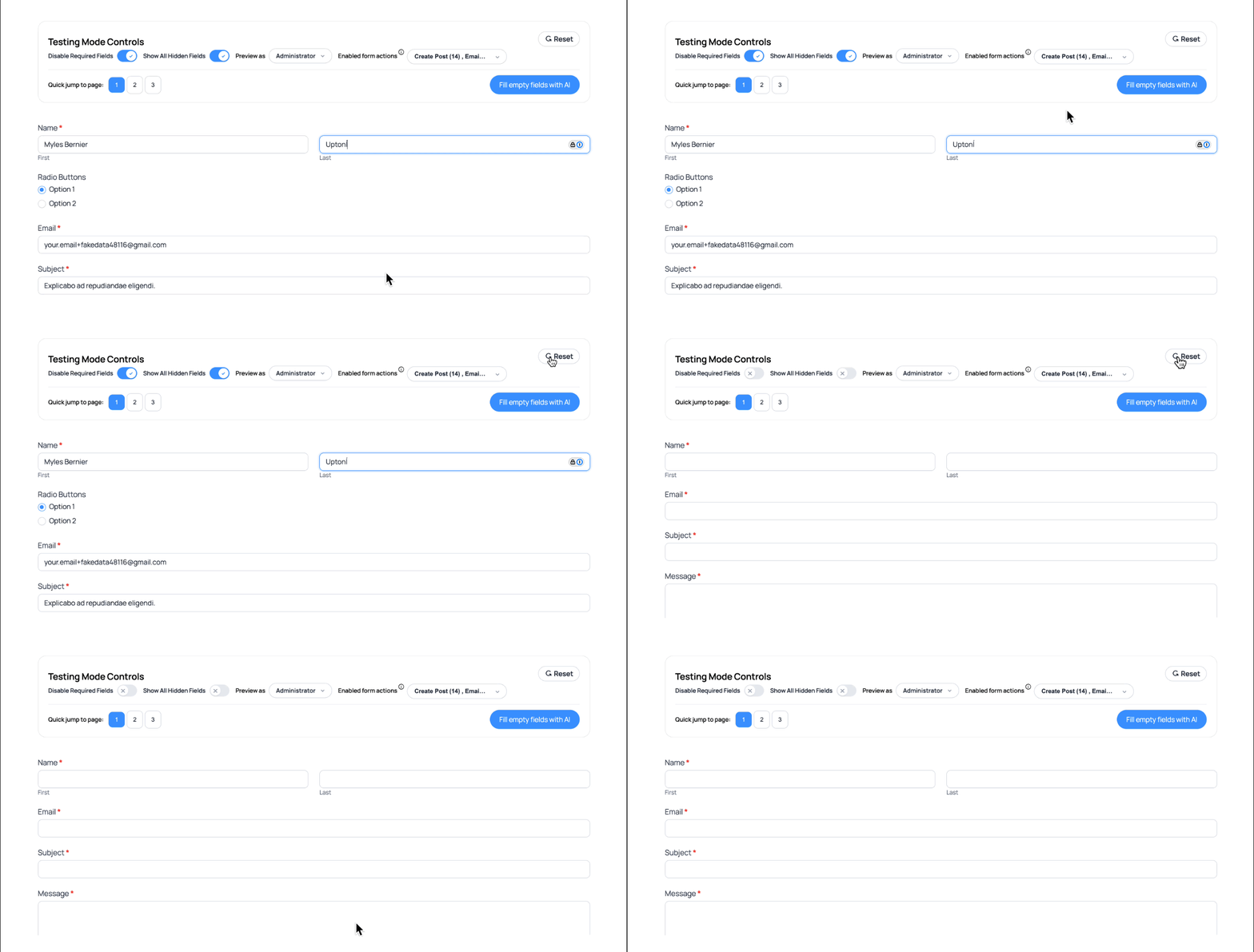
6. Reset Form
One-click form reset. Clear all data and start fresh instantly. No page refresh needed.
7. Fill Empty Fields with AI
Here's where Testing Mode becomes truly powerful for high-volume form builders. If you upgrade to our Business or Elite plan, you unlock AI-powered auto-fill that generates realistic test data instantly.

Think about how much time you spend typing fake names, addresses, phone numbers, and email addresses during testing. Now imagine eliminating that entirely. Click one button and watch every empty field populate with contextually appropriate, realistic test data.
This feature alone can save you hours every week if you regularly test forms.
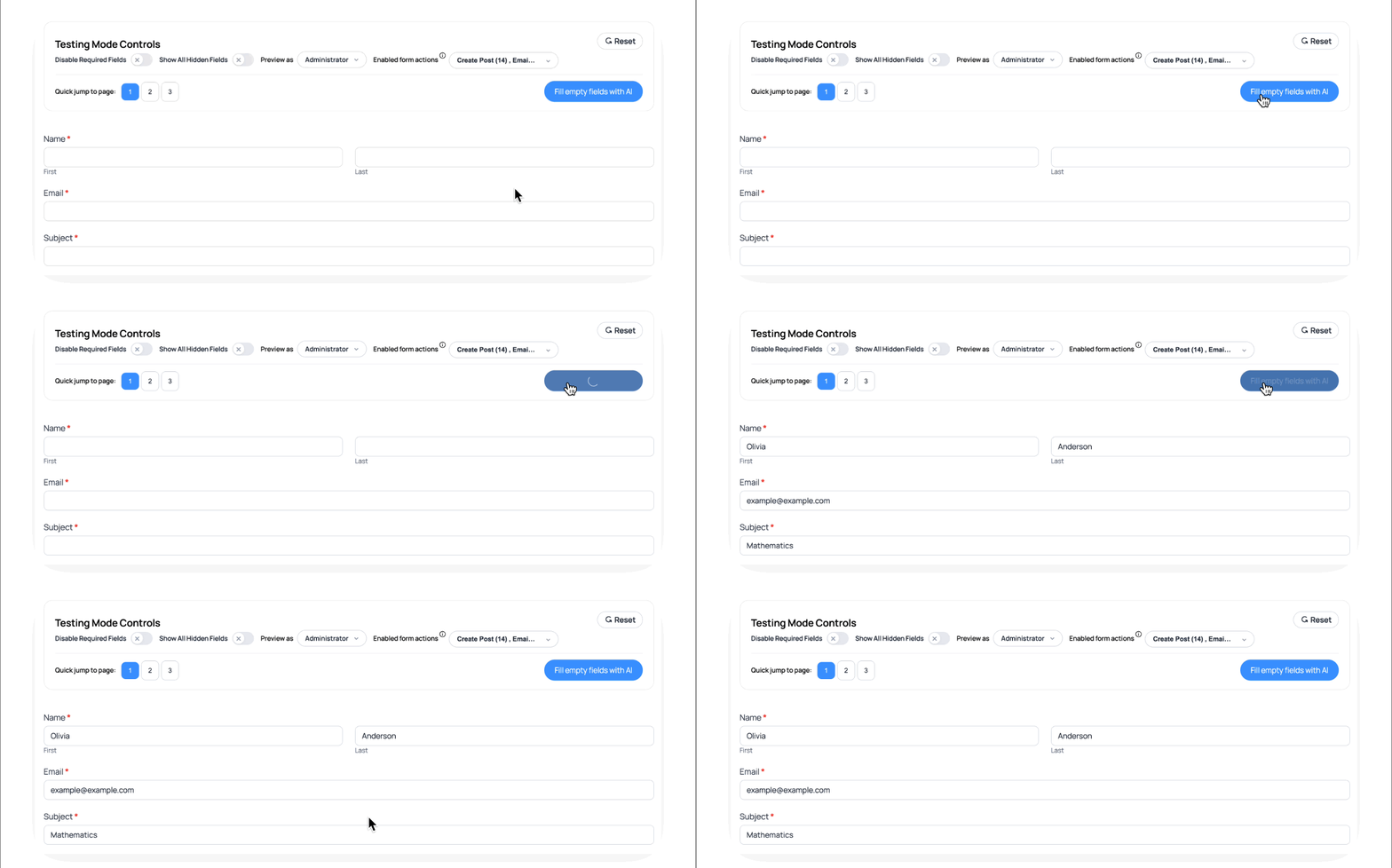
Important: AI auto-fill requires two things:
- A Business or Elite plan (Plus does not include this feature)
- The AI add-on configured on your site
Example: You're building a complex job application form for a client with 40+ fields including work history, references, education details, and certifications. You need to test the form with 10 different scenarios to verify calculations, conditional logic, and data formatting.
Without AI auto-fill: You manually type fake data for 400+ fields total (40 fields × 10 tests). This takes hours and is mind-numbingly tedious.
With AI auto-fill (Business/Elite): Click the AI button once per test. All 40 fields populate with realistic data in seconds. Test 10 complete scenarios in the time it used to take to test one. You've just saved 3-4 hours of manual data entry.
For agencies, freelancers, or anyone testing forms regularly, upgrading to Business or Elite for AI auto-fill pays for itself immediately in time saved.
Real-World Testing Scenarios
Scenario 1: Event Registration Form
The Challenge: You've built a conference registration form with early bird pricing (ends March 1st), multiple ticket types, meal preferences, and workshop selections. You need to test how the form behaves after early bird pricing expires.
Without Testing Mode: Temporarily modify the early bird date, fill out the entire form, submit, check the results. Then modify the date back and test again. Repeat for different ticket types and meal combinations.
With Testing Mode: Adjust the date in your conditional logic, disable required fields, toggle between different form scenarios instantly, disable email actions so you don't receive dozens of test confirmations. Test thoroughly in minutes instead of hours.
Scenario 2: Membership Application
The Challenge: Your membership form shows different fields for individual vs. corporate memberships, requires admin approval for certain membership tiers, and sends different email sequences based on membership level.
Without Testing Mode: Create multiple test user accounts at different membership levels, fill out long applications repeatedly, manually delete test submissions, filter through dozens of test emails.
With Testing Mode: Use "Preview as Role" to test the admin approval workflow instantly. Disable email actions to avoid spam. Show all hidden fields to verify conditional logic. Jump between pages to test specific scenarios. Complete comprehensive testing without creating a single test account or receiving a single test email.
Scenario 3: Multi-Step Calculator
The Challenge: A mortgage calculator form with 8 pages collecting income info, property details, and down payment information before showing calculations on the final page.
Without Testing Mode: Fill out all 8 pages every single time you want to test a calculation adjustment. Probably takes 5-10 minutes per test.
With Testing Mode: Jump directly to page 8, disable required validation, see the calculations instantly. Make adjustments and retest in seconds. What used to take hours now takes minutes.
Why Testing Mode Matters for Your Business
Save Time
Form testing that used to take hours now takes minutes. Spend less time on repetitive tasks and more time building better forms.
Build with Confidence
Thorough testing catches issues before your users do. Test every scenario, every conditional rule, every user role - quickly and easily.
Faster Debugging
When something goes wrong, Test Mode helps you identify the issue immediately. Show hidden fields, check different roles, and isolate problems in seconds.
Better Client Projects
If you build forms for clients, Test Mode means faster turnaround and more polished deliverables. Test comprehensively before handoff, demonstrate different scenarios easily, and make quick adjustments during client reviews.
Getting Started with Test Mode
Testing Mode is available for Formidable Forms Plus plans and above. Here's how to start using it:
Step 1: Upgrade to Plus or Higher
Testing Mode requires a Plus, Business, or Elite plan. If you're currently using Formidable Lite or Basic, upgrading takes just minutes.
Note: The AI auto-fill feature specifically requires a Business or Elite plan (along with the AI add-on configured).
Step 2: Activate Testing Mode
Once you've upgraded, activate the Testing Mode add-on from your WordPress dashboard.
Step 3: Preview Any Form in Testing Mode
Navigate to any form in your form builder and click the preview dropdown. Select "In Test Mode" and you'll see the testing control panel at the top of your preview.
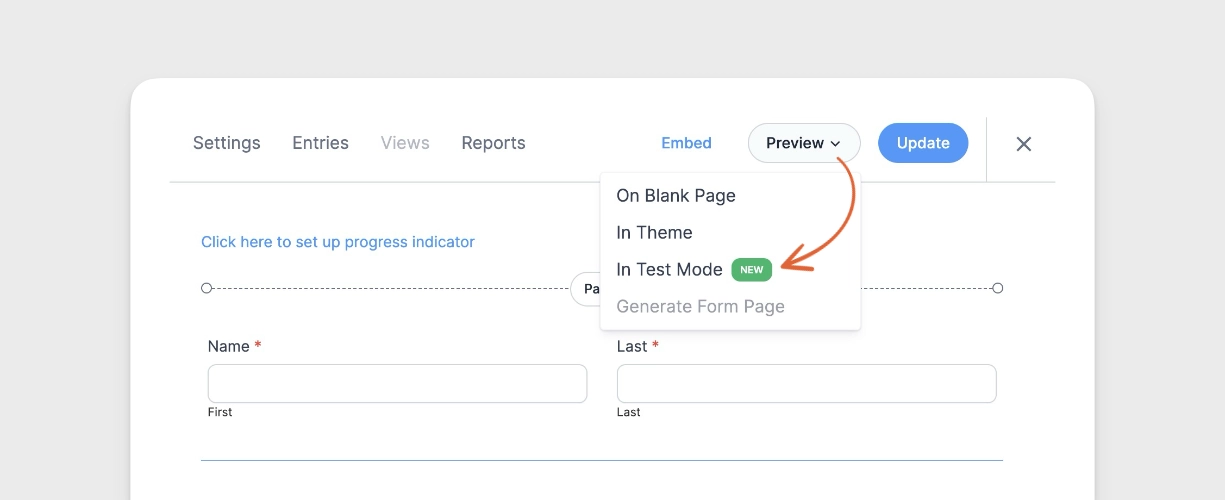
That's it! You're ready to test faster and smarter.
Common Testing Tasks Made Easy
| Task | Without Testing Mode | With Testing Mode |
|---|---|---|
| Test page 5 of multi-page form | Fill out pages 1-4 every time | Click "Jump to Page 5" |
| Test as different user role | Create test accounts, log in/out | Click "Preview as Role" dropdown |
| Check hidden field logic | Inspect element or modify CSS | Toggle "Show All Hidden Fields" |
| Test without email spam | Comment out code or edit actions | Toggle email action off |
| Test with realistic data | Type everything manually | Click "Fill with AI" (Business+) |
| Test again with fresh form | Refresh page, clear cache | Click "Reset" |
Tips for Effective Form Testing
Test Early and Often: Don't wait until your form is complete to start testing. Use Testing Mode throughout your build process to catch issues early.
Test All Conditional Paths: Use "Show All Hidden Fields" to see every possible field, then test each conditional path to ensure logic works correctly.
Test Different User Roles: If your form has role-based visibility, test as each role to verify the experience is correct for every user type.
Disable Actions During Development: Keep email, redirect, and integration actions disabled while building. Enable them only for final testing to avoid creating test data in connected systems.
Use AI Fill for Stress Testing: If you have Business or Elite with the AI add-on, use AI auto-fill to quickly generate multiple test submissions and verify your form handles various inputs correctly.
Start Testing Smarter Today
Stop wasting time on tedious form testing. With Testing Mode, you get professional-grade testing tools that speed up your workflow, catch issues faster, and help you build better forms.
Ready to transform your form testing experience?
Upgrade to Formidable Forms Plus or higher and activate Testing Mode today. Your future self will thank you.

Already have Plus or higher?
This article may contain affiliate links. Once in a while, we earn commissions from those links. But we only recommend products we like, with or without commissions.

