
What a pleasure to have support within minutes. Brillant, accurate answer, and solved the question. Thanks to the Formidable Team. Eric


Last updated on September 27, 2026 by Emma Wells
Make Your WordPress Form Notification Emails Look Professional
Your website has a beautiful, carefully branded design. Your logo is perfect. Your colors are on point. Your typography reflects your brand personality.
And then someone submits a contact form.
The form notification that arrives in your inbox? Plain. Generic. Forgettable. It looks nothing like your brand.
Approximate read time: 5 minutes
Here's the thing: every form submission email is a touchpoint with your brand. Whether it's a contact form inquiry, an event registration, or an order confirmation, that email is part of your customer's experience.
It should look like you actually sent it.
That's why we've completely redesigned email styling in Formidable Forms - giving you beautiful, modern email templates that you can customize to match your brand in minutes.

Upgrade your WordPress site with powerful, flexible forms.
The Old Way: One Size Fits Nobody
For years, form notification emails looked pretty much the same everywhere. Simple table layout. Basic formatting. Zero personality.
The "Classic" style served its purpose - it was clean, functional, and got the information across. But it didn't exactly make your business look polished or professional.
And if you wanted something different? You were stuck writing custom HTML email code. Most people don't have time for that.
From Idea to Reality in Minutes. Build Powerful Forms, Dashboards, Apps and More.
Formidable Forms makes advanced site building simple. Launch forms, directories, dashboards, and custom WordPress apps faster than ever before.
The New Way: Beautiful Emails, Zero Code
With Formidable Forms, you can choose from multiple professionally designed email templates - each with its own visual style and formatting approach.
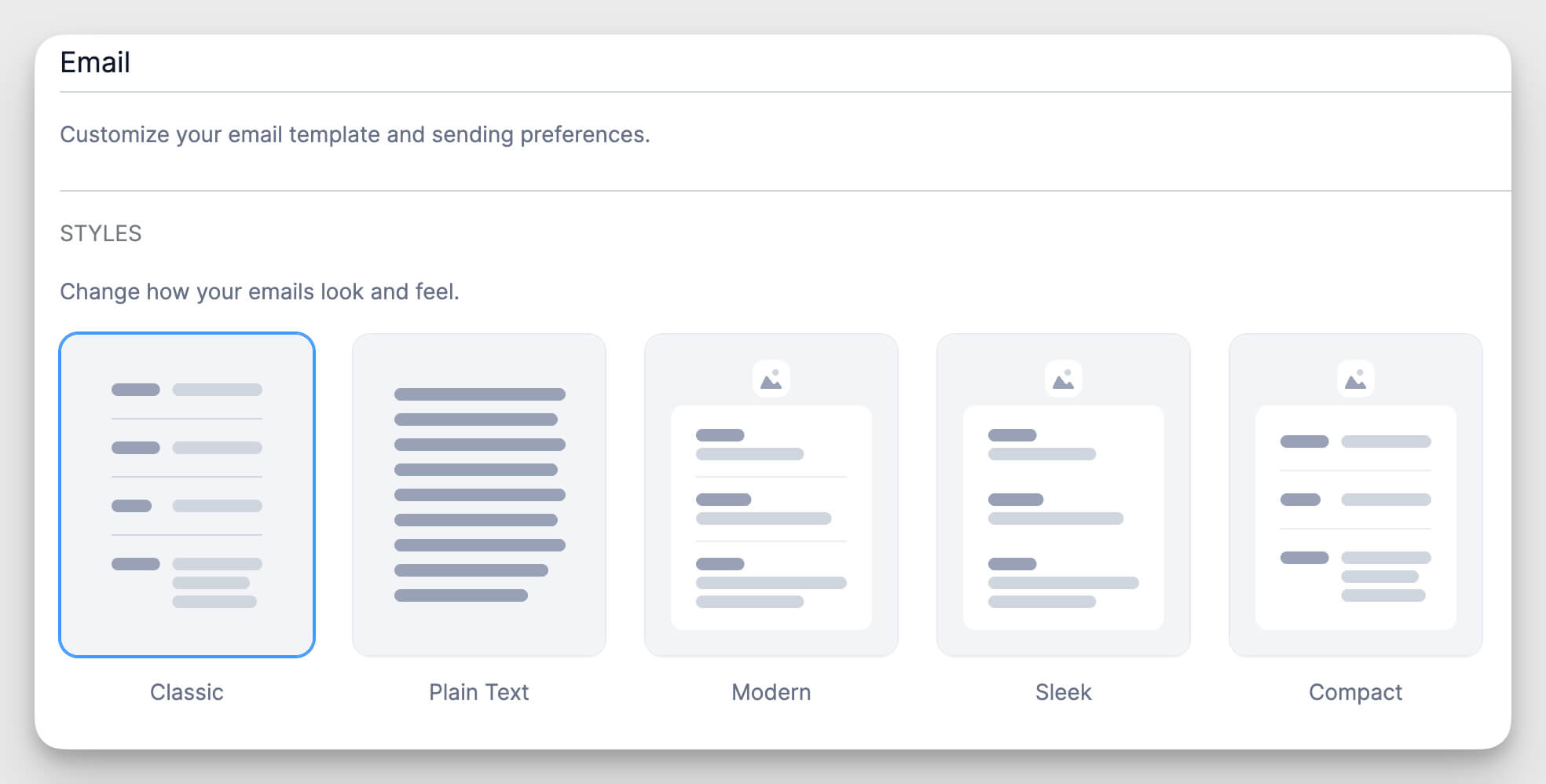
Available to Everyone (Including Lite Users):
Classic: The familiar table format, improved and refined.
Plain Text: For when you need emails without any HTML formatting.
Pro Plans Only (Basic, Plus, Business, or Elite):
Modern: Clean lines, generous spacing, and contemporary design elements that look great in any inbox.
Sleek: A sophisticated layout with refined typography and subtle visual hierarchy.
Compact: Maximizes information density while maintaining excellent readability - perfect when you're collecting lots of form data.
Every template is designed to be fully responsive, so your emails look perfect on desktop, tablet, and mobile devices. No broken layouts. No squished text. Just clean, professional notifications that adapt to any screen size.
Make It Yours in Three Easy Steps
For Pro users, there are even more customization options to make your emails truly on-brand. And the best part? You don't need to be a designer or developer.

1. Add Your Logo
Upload your logo image and choose where it appears:
- Select the size (small, medium, or large)
- Choose alignment (left, centered, or right)
- Pick the location (inside or outside the main container)
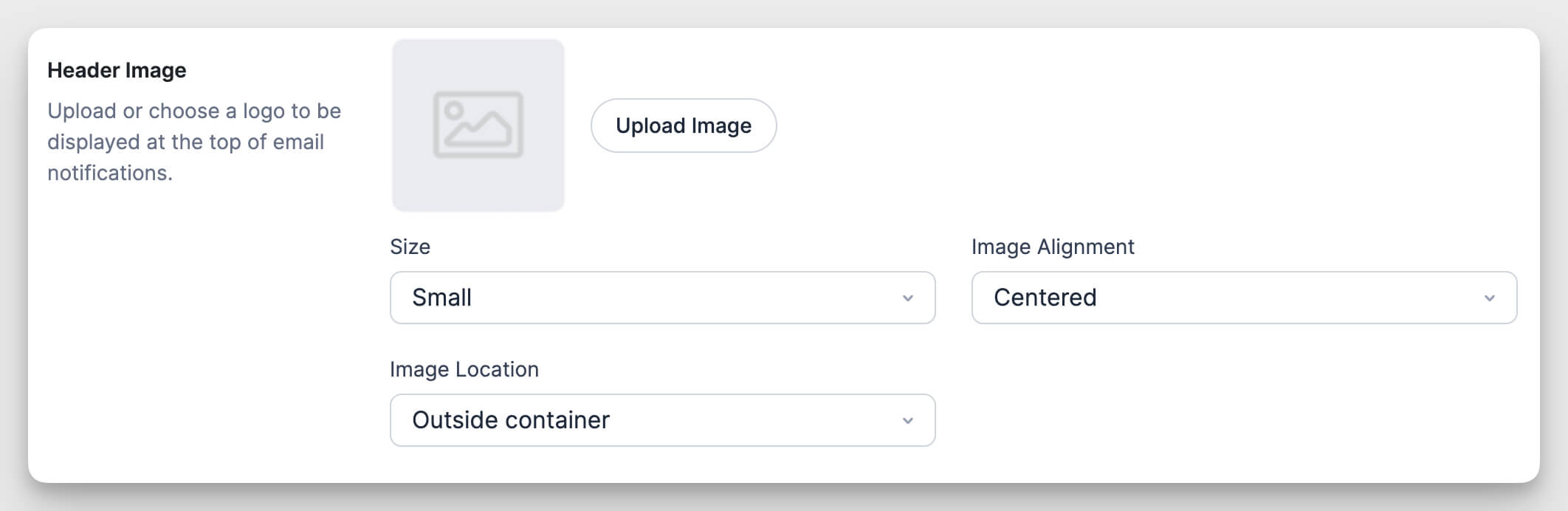
Your logo appears at the top of every email notification, instantly making it recognizable as coming from your business.
2. Match Your Brand Colors
Customize five color elements to match your website's color scheme:
- Email Background: The color surrounding the entire email
- Container Background: The main content area color
- Text: Your primary text color
- Links: The color for clickable links
- Field Dividers: The lines separating form fields
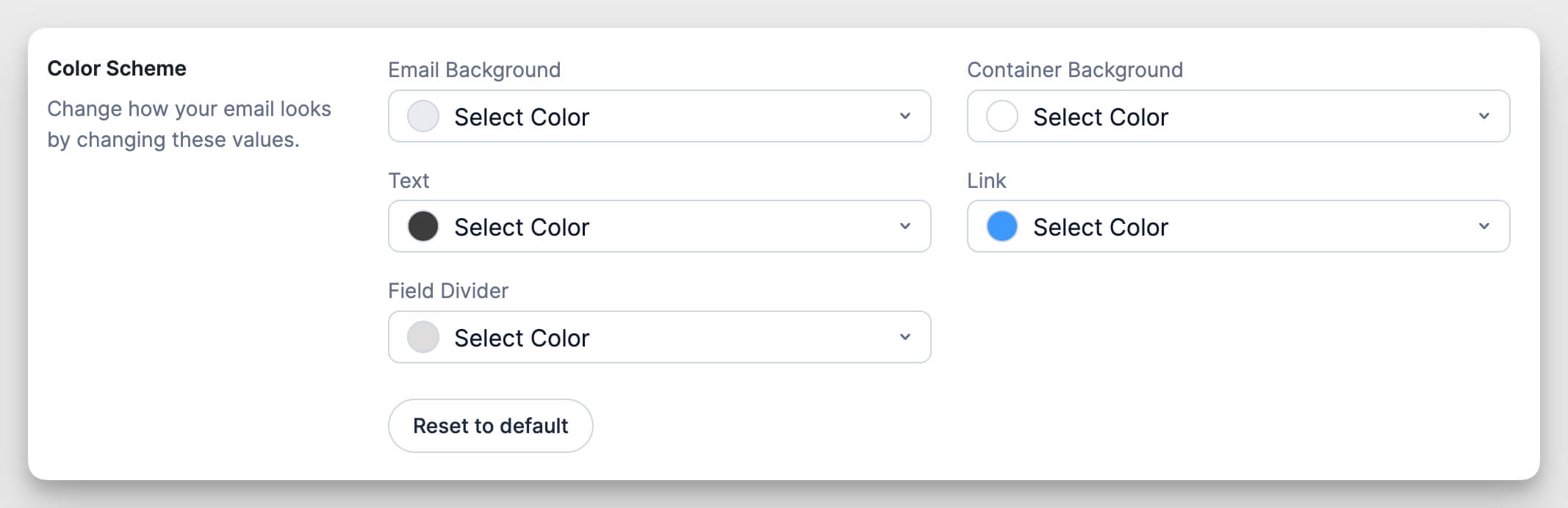
Click any color picker, choose your brand color, and watch the preview update instantly. It's genuinely that simple.
3. Choose Your Typography
Select the font style that matches your brand:
- Sans Serif: Modern, clean, and highly readable (great for tech, business, and contemporary brands)
- Serif: Classic, traditional, and sophisticated (perfect for legal, financial, and established brands)
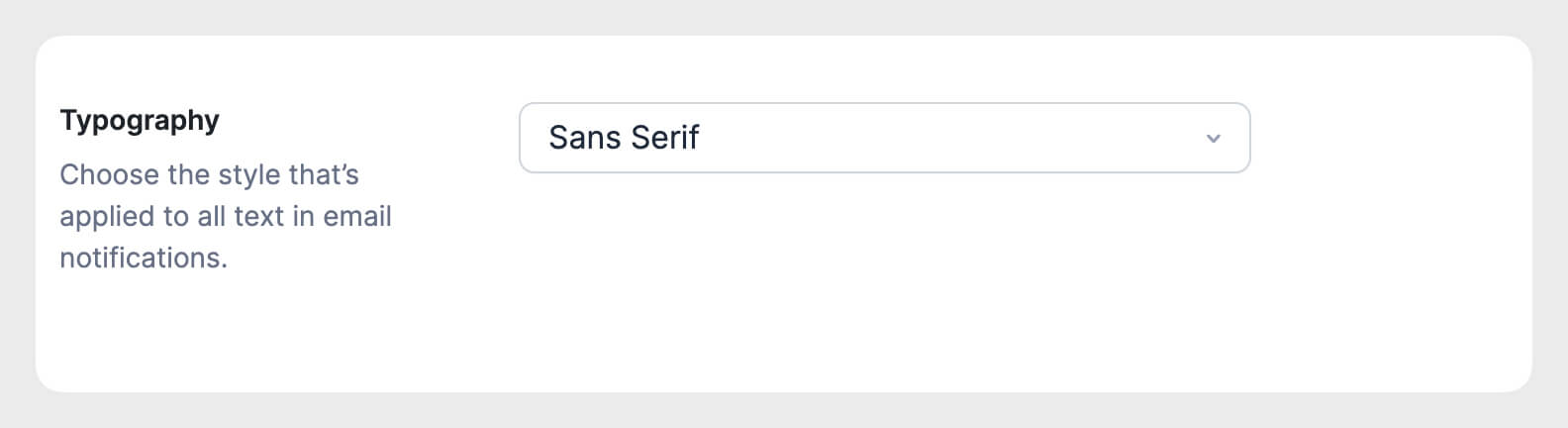
Your typography choice applies consistently throughout the entire email, creating a cohesive look that feels intentional and professional.
See It Before You Send It
Here's a feature you'll love: live preview.
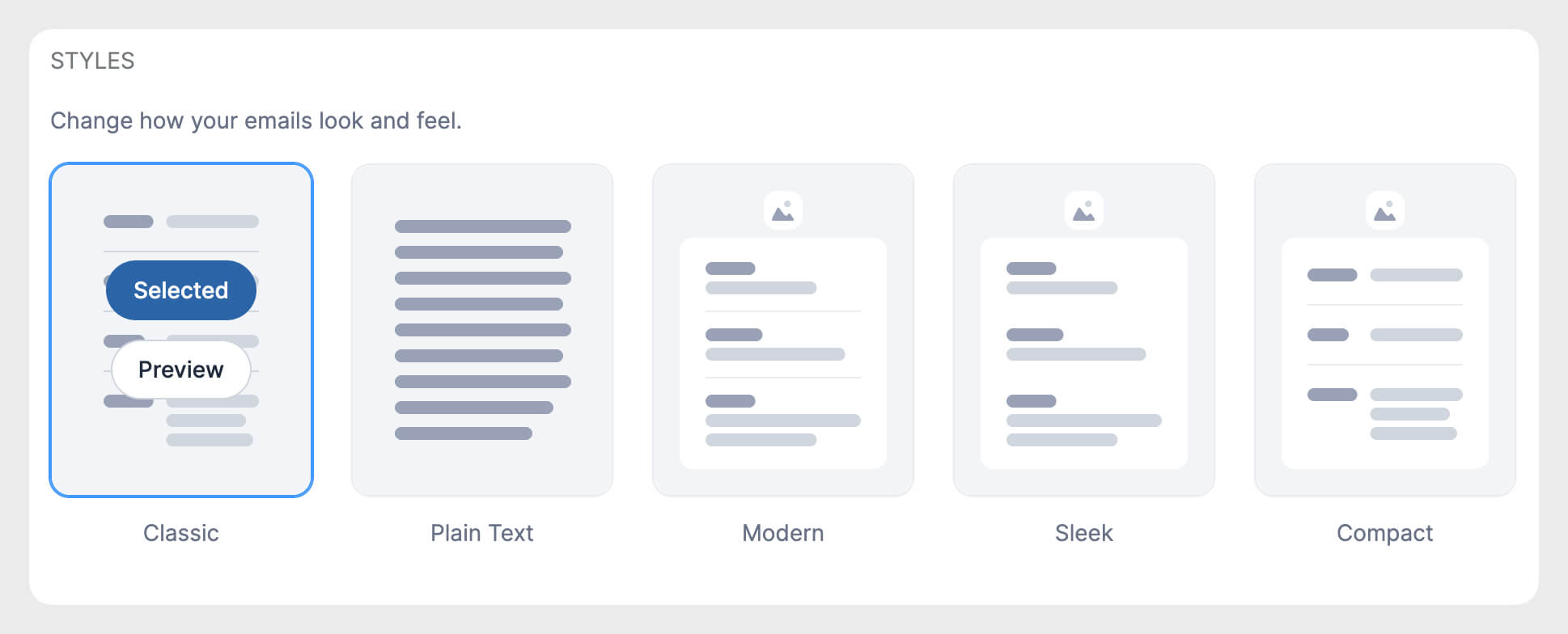
As you customize your email styling, you can see exactly how it will look before sending a single notification. Toggle between different email styles, adjust colors, upload your logo - and watch the preview update in real time.
Not sure which style works best for your brand? Preview them all. The Modern template might feel too spacious for your data-heavy forms. The Compact style might be perfect. Try each one and see what clicks.
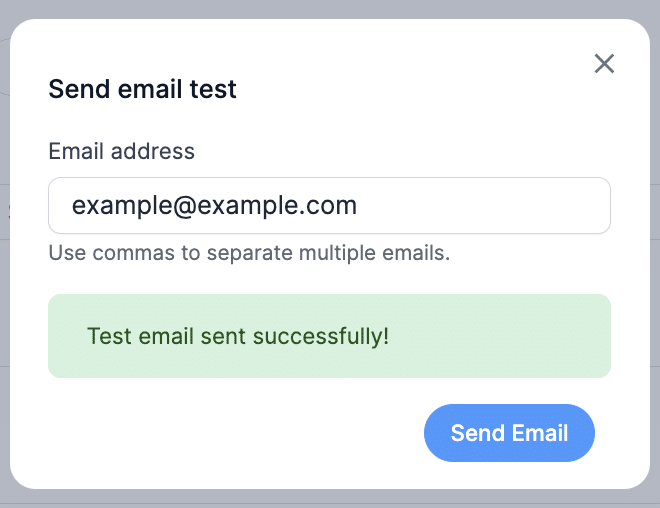
When you've found the right combination, send yourself a test email to see it in your actual inbox. Because what looks good in a preview might look even better (or slightly different) in Gmail, Outlook, or Apple Mail.
One Style for Everything (Or Different Styles for Different Forms)
You can set global email styling that applies to all new form notifications across your entire site. Pick your style once, customize the branding, and every new form automatically uses those settings.
But here's where it gets flexible: you can also override the global settings for individual forms.
Maybe your contact form emails should use the Modern template. But your event registration emails look better with the Compact style because they include more information. And your order confirmations? Those should probably be Plain Text for maximum deliverability.
You have complete control over which style works best for each specific use case.
Beyond Basic: Custom Styled Tables
For Pro users who want even more control, we've included special shortcodes that let you create custom styled tables within your email content.
Use [frm_table], [frm_tr], [frm_th], and [frm_td] tags to build formatted tables that match your chosen email style. This is perfect when you need to:
- Display form data in a specific layout
- Create summary tables with calculated values
- Format conditional content based on form responses
- Present information that doesn't fit the standard submission format
The custom table styling gives you design flexibility while keeping everything consistent with your brand.
Get Started in Minutes
Setting up branded email templates takes less time than reading this article.
For Existing Users:
- Go to Formidable → Global Settings → Email
- Select your preferred email style from the dropdown
- Upload your logo, set your colors, choose your font
- Click Save Settings
- Send yourself a test email to see it in action
For New Users:
Formidable Forms Lite includes access to the Classic and Plain Text styles. You can preview all the premium styles, but you'll need a Pro plan (Basic, Plus, Business, or Elite) to use the Modern, Sleek, and Compact templates with full customization options.
Want more in-depth instructions? Check out our complete Email Styler documentation.
Small Details That Make a Big Difference
Here's what we love about this feature: it doesn't change how your forms work. It doesn't add complexity to your form building process. It doesn't require learning new skills.
It just makes the emails you're already sending look significantly better.
And in a world where every customer interaction matters, where brand consistency builds trust, where professional presentation sets you apart from competitors - that's not a small thing.
Your form submissions deserve to look as good as everything else you send, and now they can.
This article may contain affiliate links. Once in a while, we earn commissions from those links. But we only recommend products we like, with or without commissions.

